
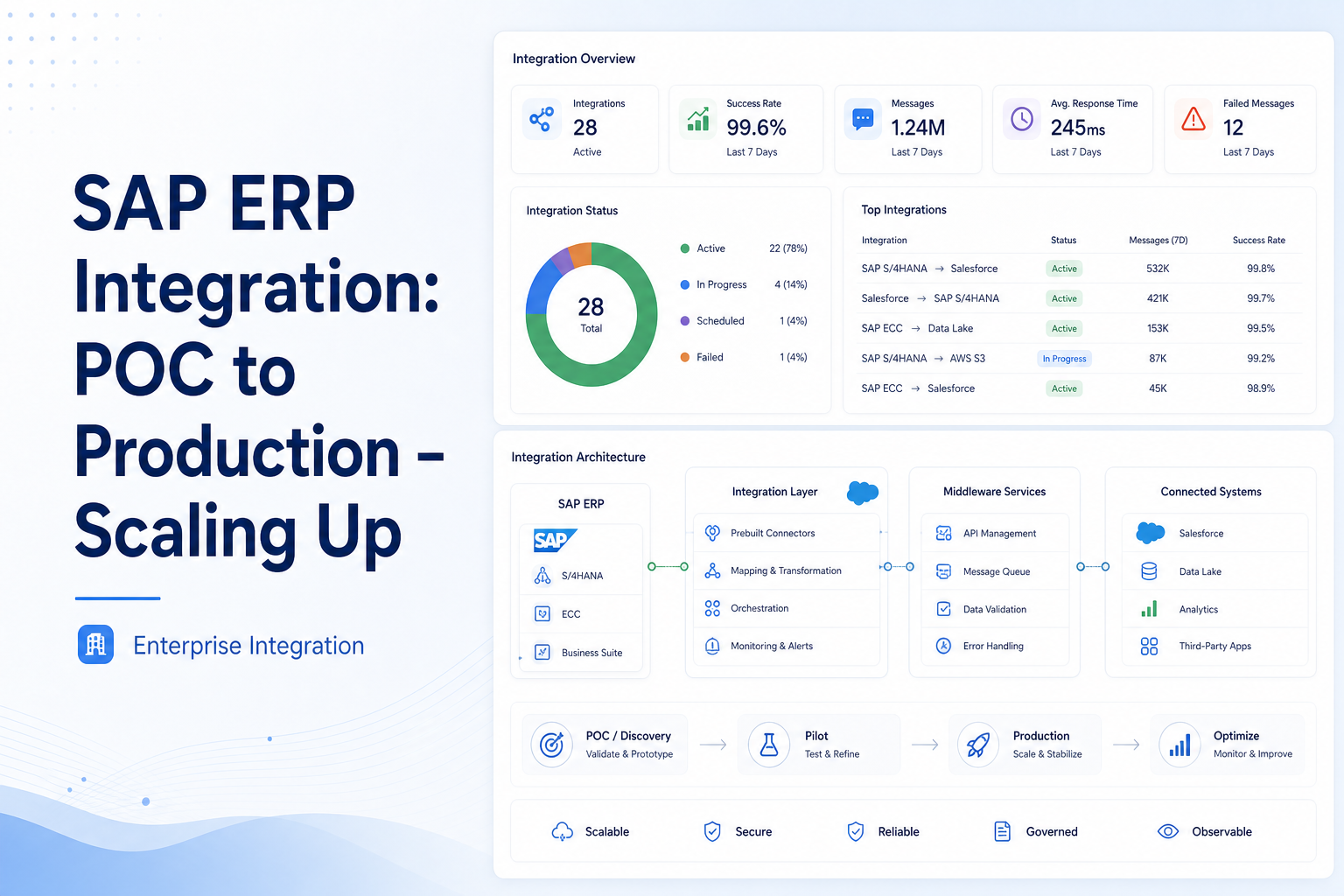
SAP ERP Integration: POC to Production – Scaling Up
Learn how to scale SAP ERP integrations from proof of concept to a reliable production-ready enterprise solution.
Salesforce Integration Developer
Introduction
A Proof of Concept (POC) is built to answer one question: "Can this solution work?" A production system must answer a different question: "Can this solution work reliably at scale, every day, for thousands of users?"
Many teams successfully complete a Salesforce B2B Commerce and SAP S/4HANA POC and assume the hardest part is over. However, moving from a small demo environment to a live enterprise system introduces new challenges related to data volume, performance, security, monitoring, and buyer adoption.
This document explains the key considerations for successfully scaling from POC to Production.
1. Understanding the Difference Between POC and Production
| POC Environment | Production Environment |
|---|---|
| Product catalog may contain only 20–100 products. | Product catalogs may contain 10,000–100,000+ products. |
| Only a few test users access the system. | Thousands of buyers may access the system simultaneously. |
| Pricing rules are simple. | Complex pricing contracts must be supported. |
| Monitoring is minimal. | Security and compliance become critical. |
| Performance requirements are relaxed. | High performance and uptime are expected. |
Without proper planning, integrations that work perfectly during a demo may fail under real production workloads.
2. Architecture Improvements Required for Production
2.1 Delta Synchronization
Many POCs use a full product synchronization process. This approach works well for small product catalogs but becomes inefficient when tens of thousands of products exist.
Instead:
- Synchronize only records that changed since the last successful run.
- Use SAP's Last Modified Date field.
- Store synchronization timestamps.
- Schedule incremental updates every few hours.
Benefits: Faster synchronization, reduced SAP load, better system performance.
2.2 Implement Caching
Real-time SAP calls for pricing and inventory can become a bottleneck.
Instead of querying SAP for every page request:
- Cache inventory data for a short period.
- Cache pricing information for buyers.
- Refresh cache only when necessary.
Benefits: Reduced SAP traffic, faster page load times, better user experience.
2.3 API-Led Architecture
POCs often use a single MuleSoft flow. Production environments should separate responsibilities into:
| API Layer | Responsible For |
|---|---|
| System API | SAP connectivity, raw data retrieval |
| Process API | Business logic, data transformation, error handling |
| Experience API | Salesforce-specific responses, Commerce Cloud requirements |
Benefits: Easier maintenance, better scalability, independent deployments.
2.4 Error Handling and Recovery
Production integrations must never silently fail.
Recommended practices:
- Retry temporary failures automatically.
- Use exponential backoff.
- Store failed records in a Dead-Letter Queue (DLQ).
- Alert support teams immediately.
Example: If an order fails to reach SAP, retry automatically. If still unsuccessful, move to DLQ, notify the operations team, and allow manual reprocessing.
2.5 Monitoring and Observability
A production environment requires complete visibility.
Monitor:
- API response times
- Synchronization success rates
- Error counts
- Inventory refresh status
- SAP connectivity
Create dashboards that provide real-time visibility into integration health.
3. Performance Engineering
Performance should be measured against defined Service Level Agreements (SLAs).
Recommended targets:
| Page / Action | Target |
|---|---|
| Homepage | Less than 1.5 seconds |
| Product Listing Page | Less than 2 seconds |
| Product Detail Page | Less than 2.5 seconds |
| Checkout | Less than 3 seconds |
| Inventory Lookup | Less than 400 milliseconds |
Load Testing
Before go-live:
- Test with at least 2× expected traffic.
- Simulate peak-hour activity.
- Identify bottlenecks early.
This helps avoid production failures after launch.
4. Phased Go-Live Strategy
Never release to all buyers at once. Use a phased rollout approach.
| Phase | Duration | Participants | Objectives |
|---|---|---|---|
| Phase 1 — Internal Pilot | 1–2 Weeks | Sales Operations, Customer Success Teams, Administrators | Validate integrations, identify data quality issues, verify SAP connectivity |
| Phase 2 — Controlled Buyer Pilot | 3–5 Weeks | 5–10 selected customers | Gather buyer feedback, monitor adoption, track support requests. Success indicator: more than 60% of orders placed through the portal. |
| Phase 3 — Wave 1 Rollout | 6–10 Weeks | 20–30% of buyer base | Monitor system performance, validate caching effectiveness, measure buyer adoption. Focus on simple, high-volume accounts first. |
| Phase 4 — Full Production Rollout | 11–16 Weeks | Entire buyer base | Support complex pricing, support advanced approval workflows, achieve full production stability |
5. Change Management
Technology alone does not guarantee success. The biggest risk is often buyer adoption. If buyers continue placing orders through email or phone, the project cannot deliver its expected value.
Buyer Communication Plan
Recommended timeline:
| Timing | Action |
|---|---|
| 6 Weeks Before Go-Live | Send announcement from sales leadership. |
| 3 Weeks Before Go-Live | Invite buyers to training sessions. |
| 1 Week Before Go-Live | Provide portal credentials and quick-start guides. |
| Go-Live Day | Send launch communication. |
| Two Weeks After Launch | Conduct personal follow-up calls. |
Buyer Training Program
Provide:
- Recorded walkthrough videos
- Quick-reference guides
- Live training sessions
- Role-based training
- Dedicated support channels
Training should be simple and practical.
Adoption Metrics
Track:
| KPI | Description |
|---|---|
| KPI 1 | Percentage of orders placed through portal |
| KPI 2 | Cart abandonment rate |
| KPI 3 | Support tickets per 100 orders |
| KPI 4 | Monthly buyer login rate |
Review adoption metrics weekly.
6. Production Readiness Checklist
Before go-live, verify:
Integration
- ✓ Delta sync implemented
- ✓ Full sync tested
- ✓ SAP write-back tested
- ✓ Data validation completed
- ✓ Retry mechanisms configured
- ✓ DLQ configured
Performance
- ✓ Load testing completed
- ✓ Performance SLAs achieved
- ✓ Caching configured
- ✓ Query optimization completed
- ✓ SAP response times validated
Security
- ✓ Role-based access verified
- ✓ Pricing visibility tested
- ✓ API credentials secured
- ✓ Penetration testing completed
- ✓ Compliance requirements met
Monitoring
- ✓ Dashboards operational
- ✓ Alerts configured
- ✓ Runbooks documented
- ✓ On-call support process defined
- ✓ Disaster recovery tested
Business Readiness
- ✓ Buyers activated
- ✓ Training completed
- ✓ Support team prepared
- ✓ Communication plan executed
- ✓ Executive dashboards available
Final Conclusion
The best time to design for scale is during the POC itself. Decisions related to synchronization strategy, caching, error handling, monitoring, and integration architecture are much easier and less expensive to implement early than after the system is already live.
A successful production rollout is not just about making Salesforce and SAP communicate. It is about building a scalable, secure, reliable, and user-friendly platform that can support business growth for years to come.