
Salesforce OMS Integration with B2B Commerce Cloud and B2C Commerce Cloud
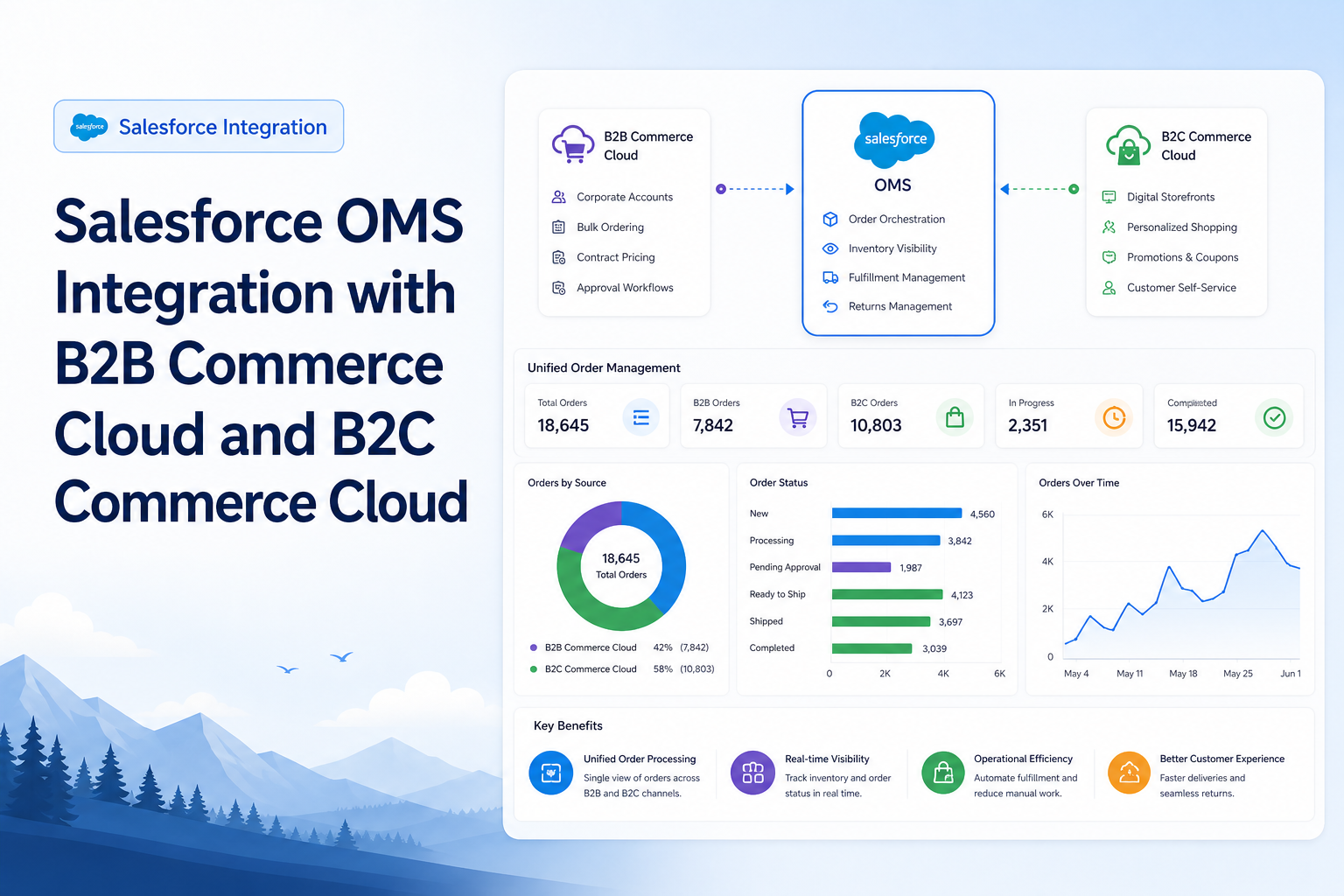
Integrate Salesforce Order Management System with B2B Commerce Cloud and B2C Commerce Cloud for unified order processing.
Salesforce Developer
Introduction
Salesforce Order Management System (OMS) provides a centralized platform for managing orders throughout their lifecycle, from order capture to fulfillment, shipment, returns, and cancellations. Salesforce OMS integrates seamlessly with both B2B Commerce Cloud and B2C Commerce Cloud, enabling organizations to deliver unified commerce experiences across business and consumer channels.
This document explains the architecture, setup, data flow, and integration process between Salesforce OMS and Salesforce B2B/B2C Commerce Cloud.
Business Objective
The primary objective of OMS integration is to:
- Centralize order management.
- Automate fulfillment processes.
- Improve inventory visibility.
- Support order routing and shipment tracking.
- Enable returns and exchanges.
- Provide a unified customer experience across channels.
High-Level Architecture
B2B Commerce Integration
B2B Commerce Storefront
          ↓
   Checkout Process
          ↓
   Order Creation
          ↓
   Salesforce OMS
          ↓
   Order Summary
          ↓
 Fulfillment Order
          ↓
      Shipment
          ↓
Customer Notification
B2C Commerce Integration
B2C Commerce Storefront
          ↓
   Order Placement
          ↓
SCAPI / OCAPI Integration
          ↓
   Salesforce OMS
          ↓
  Order Management
          ↓
     Fulfillment
          ↓
 Shipment Tracking
Salesforce OMS Core Objects
OMS uses several standard objects to manage order processing.
| Object | Purpose |
|---|---|
| Order | Customer order |
| Order Item | Products within order |
| Order Summary | Customer-facing order record |
| Order Product Summary | Product summary information |
| Fulfillment Order | Fulfillment request |
| Fulfillment Order Line Item | Items to fulfill |
| Shipment | Shipment tracking |
| Return Order | Return processing |
| Return Order Line Item | Returned products |
| Payment Authorization | Payment approval |
| Payment Capture | Payment settlement |
OMS Integration with B2B Commerce Cloud
Overview
B2B Commerce runs natively on Salesforce Core Platform, making OMS integration relatively straightforward.
Integration Flow
- Buyer browses products.
- Buyer adds products to cart.
- Buyer completes checkout.
- Order record is created.
- OMS processes order.
- Fulfillment Orders are generated.
- Inventory allocation occurs.
- Shipment is created.
- Order status is updated.
B2B Commerce Setup
Step 1: Enable Order Management
Navigate to: Setup → Order Management Settings
Enable:
- Order Management
- Order Summaries
- Fulfillment Orders
- Payments
Step 2: Configure Order Management Administration
Configure:
- Fulfillment Settings
- Return Settings
- Inventory Settings
- Payment Processing
Step 3: Create Web Store
Navigate to: Commerce App → Web Stores
Create:
- Web Store
- Default Language
- Currency
- Buyer Experience
Step 4: Associate OMS with Web Store
Configure: Web Store → Order Management Settings
Enable:
- Order Summaries
- Fulfillment Orders
- Delivery Groups
Step 5: Create Delivery Methods
Examples:
- Standard Shipping
- Express Shipping
- Overnight Shipping
These methods are used during checkout and fulfillment.
Step 6: Configure Payment Methods
Examples:
- Credit Card
- Purchase Order
- ACH Payment
OMS stores payment authorization details.
B2B Commerce Order Flow
Buyer
 ↓
Cart
 ↓
Checkout
 ↓
Order
 ↓
Order Summary
 ↓
Fulfillment Order
 ↓
Shipment
 ↓
Delivered
OMS Integration with B2C Commerce Cloud
Overview
Unlike B2B Commerce, B2C Commerce operates on a separate platform and requires integration with Salesforce OMS. Orders are transferred from B2C Commerce to OMS using APIs and integration services.
B2C Commerce Integration Components
Commerce APIs
B2C Commerce uses:
- SCAPI (Shopper APIs)
- OCAPI (Open Commerce API)
for order management and customer interactions.
Integration Middleware (Optional)
Organizations may use:
- MuleSoft
- Boomi
- Jitterbit
- Custom APIs
to orchestrate integrations.
Salesforce OMS APIs
OMS receives:
- Orders
- Customer Information
- Product Information
- Payment Details
- Shipment Updates
through REST APIs.
B2C Commerce to OMS Order Flow
Customer Places Order
          ↓
   B2C Commerce Order
          ↓
   Export Order Data
          ↓
       OMS API
          ↓
    Order Record
          ↓
   Order Summary
          ↓
 Fulfillment Order
          ↓
      Shipment
          ↓
Customer Notification
B2C Commerce Integration Setup
Step 1: Install OMS Managed Package
Deploy OMS package in Salesforce Org.
Configure:
- Order Management
- Fulfillment
- Payments
- Inventory
Step 2: Configure Web Store Record
Create Web Store representing B2C storefront.
Configure:
- Store Name
- Locale
- Currency
- Language
Step 3: Configure Integration User
Integration user permissions:
- API Enabled
- Modify All Data
- Manage Orders
- Manage Fulfillment
Step 4: Create Named Credentials
Navigate: Setup → Named Credentials
Configure secure API authentication.
Step 5: Configure Order Import
Map B2C Commerce fields:
| B2C Commerce | OMS |
|---|---|
| Order Number | Order |
| Customer | Account/Contact |
| Product | Product2 |
| Payment | Payment Authorization |
| Shipment | Fulfillment Order |
Order Summary Creation
Order Summary is automatically generated after order activation.
Purpose:
- Customer order history
- Self-service tracking
- Service agent visibility
Generated Records:
Order
 ↓
Order Summary
 ↓
Order Item Summary
 ↓
Delivery Group Summary
Fulfillment Order Creation
OMS creates Fulfillment Orders from Order Summary.
Example: Order #10001 — Items: Laptop x 1, Mouse x 2
OMS creates: Fulfillment Order #FO-001 for warehouse processing.
Inventory Integration
OMS supports:
- Real-time inventory visibility
- Safety stock
- Location-based inventory
- Inventory reservations
Integration Sources:
- ERP
- Warehouse Management System (WMS)
- External Inventory Platforms
Payment Processing
OMS supports:
Authorization
Customer Order
      ↓
Payment Authorization

Capture
Shipment
      ↓
Payment Capture
Supported Providers:
- Stripe
- CyberSource
- Adyen
- PayPal
- Custom Gateways
Shipment Processing
Shipment process:
Fulfillment Order
       ↓
      Pick
       ↓
      Pack
       ↓
      Ship
       ↓
 Tracking Number
       ↓
Customer Notification
OMS updates order status automatically.
Return Management
OMS supports:
- Return Requests
- Return Authorization
- Refund Processing
- Exchange Orders
Flow:
Delivered Order
      ↓
Return Request
      ↓
Return Order
      ↓
   Refund
Common Integration APIs
Typical APIs used during integration:
| Action | API |
|---|---|
| Create Order | POST /commerce/orders |
| Update Order Status | PATCH /orders/{id} |
| Create Fulfillment | POST /fulfillmentorders |
| Create Return | POST /returnorders |
Monitoring and Troubleshooting
Monitor:
- Integration Logs
- Platform Events
- Failed API Requests
- Order Import Errors
- Fulfillment Failures
Useful Objects:
- Order
- Order Summary
- Fulfillment Order
- Integration Logs
- Async Processing Records
Best Practices
For B2B Commerce
- Use native OMS integration.
- Enable Order Summaries.
- Configure Delivery Methods correctly.
- Use Buyer Groups for visibility control.
For B2C Commerce
- Implement robust API error handling.
- Use middleware for complex integrations.
- Secure APIs with Named Credentials.
- Validate order data before import.
General OMS Best Practices
- Automate fulfillment workflows.
- Monitor integration health.
- Maintain inventory synchronization.
- Implement return and refund automation.
- Use platform events for real-time processing.
End-to-End OMS Lifecycle
B2B/B2C Commerce
        ↓
  Order Placement
        ↓
  Salesforce OMS
        ↓
  Order Summary
        ↓
Fulfillment Order
        ↓
Inventory Allocation
        ↓
     Shipment
        ↓
     Delivery
        ↓
Return/Refund (Optional)
Conclusion
Salesforce OMS serves as the central hub for managing orders from both B2B Commerce Cloud and B2C Commerce Cloud. While B2B Commerce benefits from native Salesforce platform integration, B2C Commerce uses API-based integrations to transfer order data into OMS. Together, these solutions provide a unified commerce ecosystem that supports order capture, fulfillment, inventory management, payment processing, shipping, and returns across multiple sales channels.