
Salesforce B2C to Salesforce Core Integration Using MuleSoft and Platform Events
Build a scalable integration between Salesforce B2C Commerce and Salesforce Core using MuleSoft and Platform Events.
Salesforce Integration Developer
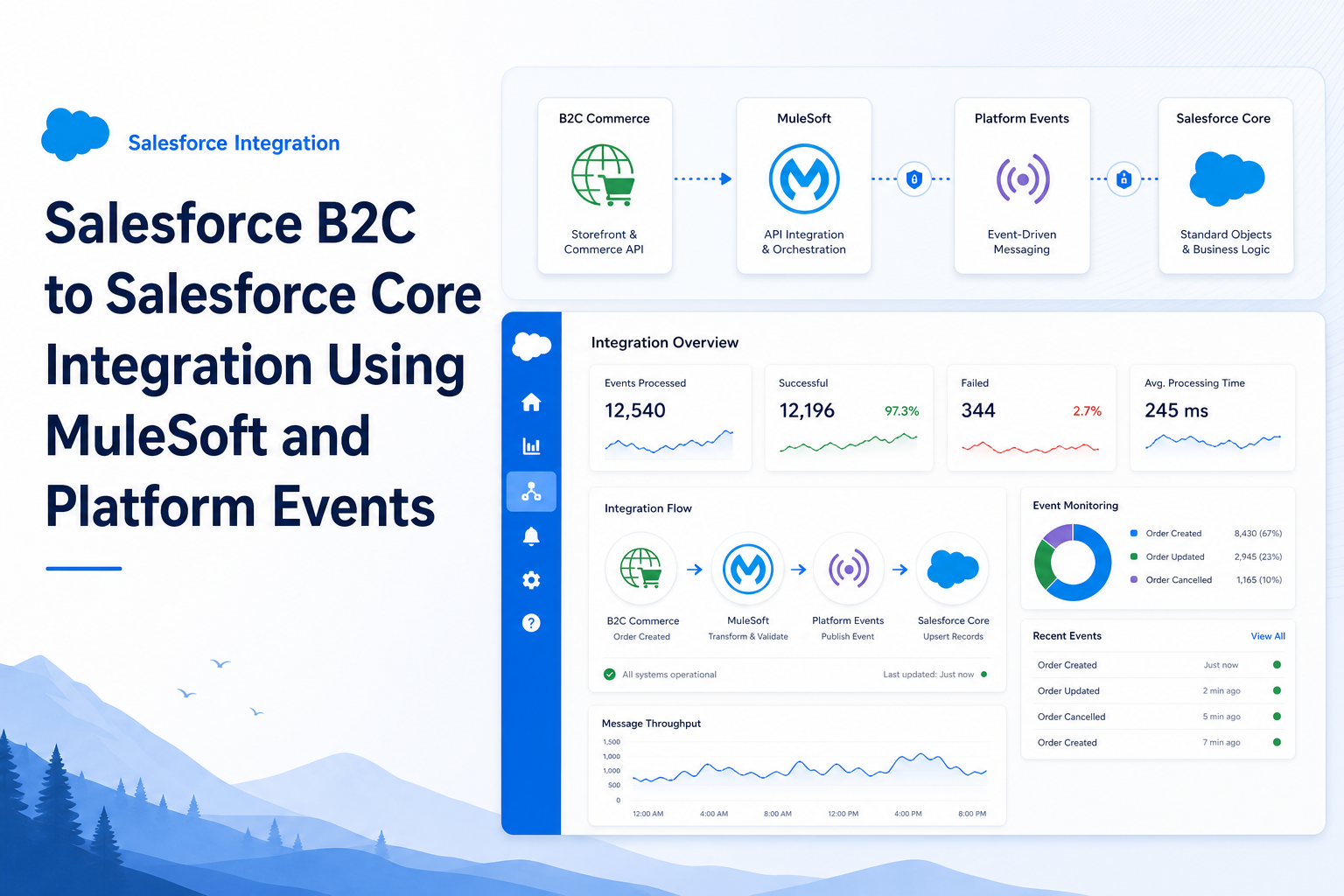
Project Overview
The project involved integrating a B2C Commerce storefront with Salesforce Core using MuleSoft and Platform Events. The primary objective was to synchronize Products and Orders from the B2C platform into Salesforce Core in near real-time.
This integration ensured that product information and customer orders created in the B2C storefront were automatically processed and stored within Salesforce Core for downstream business operations.
Business Requirement
The client maintained their online storefront in Salesforce B2C Commerce.
Whenever:
- A new product was created or updated
- A customer placed an order
The data needed to be sent to Salesforce Core automatically.
The solution had to support:
- Near real-time processing
- High-volume transactions
- Reliable error handling
- Scalable architecture
High-Level Architecture
B2C Commerce
    ↓
MuleSoft
    ↓
Salesforce Platform Event
    ↓
Salesforce Core
    ↓
Product / Order Creation
Integration Flow
Step 1: Event Generated from B2C Commerce
When a product or order was created in the B2C storefront:
- B2C generated the required payload.
- Payload contained product or order information.
- Data was sent to MuleSoft through REST APIs.
Example:
| Data Type | Fields |
|---|---|
| Product Data | Product ID, Product Name, SKU, Price, Inventory |
| Order Data | Order Number, Customer Information, Order Lines, Total Amount |
Step 2: MuleSoft Processing
MuleSoft acted as the middleware layer.
Responsibilities:
- Receive requests from B2C Commerce.
- Validate incoming payloads.
- Transform data into Salesforce format.
- Apply business rules.
- Handle errors and retries.
MuleSoft ensured the payload structure matched Salesforce Core requirements.
Step 3: Publish Platform Event
Instead of directly creating records in Salesforce, MuleSoft published a Platform Event.
Example Events:
Product_Sync_Event__eOrder_Sync_Event__e
Event Payload:
- External ID
- Product Details
- Order Details
- Status Information
Benefits:
- Asynchronous processing
- Better scalability
- Reduced API limitations
- Improved reliability
Step 4: Salesforce Core Event Subscription
Salesforce Core subscribed to Platform Events. Apex Triggers were configured on Platform Events.
Example:
Product_Sync_Event__eTriggerOrder_Sync_Event__eTrigger
Whenever an event was received:
- Trigger processed the event.
- Data validation was performed.
- Business logic was executed.
Step 5: Product Creation in Salesforce
Product Event Processing:
- Receive Platform Event.
- Validate mandatory fields.
- Check if Product already exists.
- Create or Update Product2 record.
- Update Product Catalog information.
- Log processing status.
Objects Used:
- Product2
- PricebookEntry
- Custom Logging Objects
Step 6: Order Creation in Salesforce
Order Event Processing:
- Receive Order Platform Event.
- Validate order data.
- Check duplicate orders using External ID.
- Create Account and Contact if required.
- Create Order record.
- Create Order Items.
- Update order status.
- Log success or failure.
Objects Used:
- Account
- Contact
- Order
- OrderItem
Error Handling
Error handling was implemented at multiple levels.
| Layer | Error Handling Mechanisms |
|---|---|
| MuleSoft | Payload validation, retry mechanism, error queue, logging |
| Salesforce | Platform Event error handling, Apex exception handling, custom error logs |
This ensured failed transactions could be identified and reprocessed.
Benefits of Using Platform Events
- Loose coupling between systems.
- Asynchronous processing.
- Better scalability.
- Improved performance.
- Reduced integration dependency.
- Reliable event-driven architecture.
My Responsibilities
- Developed Apex Triggers on Platform Events.
- Created Product and Order processing logic.
- Implemented validation and duplicate checks.
- Handled error logging and exception management.
- Worked with MuleSoft integration team.
- Participated in deployment and testing activities.
- Supported production issue analysis and fixes.
Key Salesforce Components Used
- Platform Events
- Apex Triggers
- Product2
- Order Management Objects
- Custom Metadata
- Custom Settings
- Named Credentials
- Integration Logging Framework