
AI-Powered Employee Policy & HR Assistant using Agentforce RAG
Build an intelligent HR assistant using Agentforce RAG to answer employee policy questions with contextual responses.
Salesforce AI Developer
Abstract
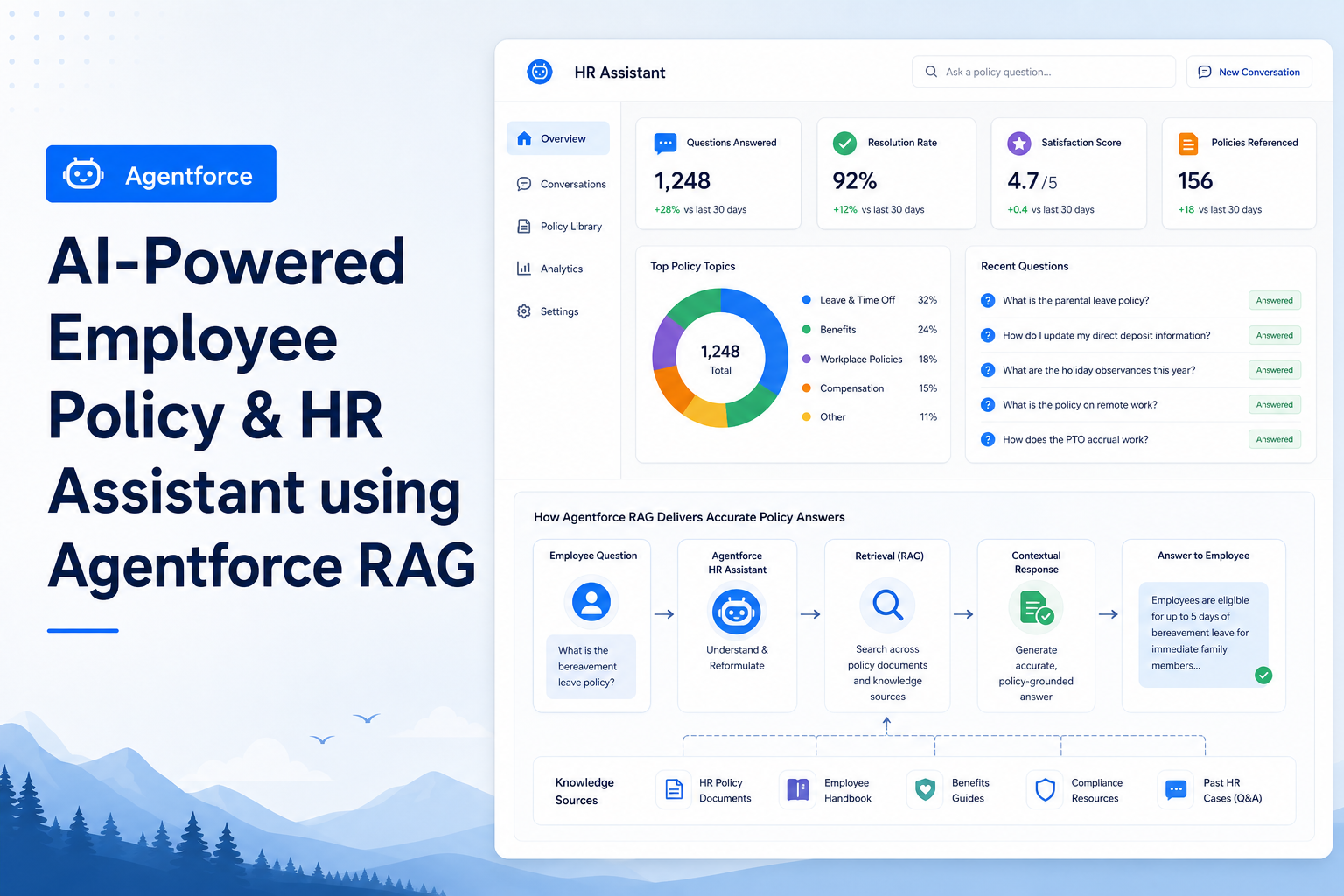
Organizations often receive repetitive employee inquiries regarding leave policies, insurance coverage, employee benefits, travel reimbursements, work-from-home guidelines, and company handbook rules. HR teams spend considerable time responding to these recurring questions, which can impact productivity and response times. To address this challenge, an AI-Powered Employee Policy & HR Assistant was developed using Salesforce Agentforce and Retrieval-Augmented Generation (RAG). The solution leverages Agentforce Data Libraries to store HR policy documents and enables the AI agent to retrieve relevant information from approved company documents before generating responses. This ensures accurate, reliable, and policy-based answers while reducing the workload on HR teams.
Problem Statement
In many organizations, employees frequently ask questions such as:
- What is medical insurance coverage?
- How many casual leaves are available?
- What is the work-from-home policy?
- What is the learning budget for employees?
- What are the travel reimbursement limits?
Traditionally, these questions are answered manually by HR personnel, resulting in:
- Repeated effort for HR teams
- Delayed responses
- Dependency on HR availability
- Risk of inconsistent answers
An intelligent self-service solution is required to provide instant and accurate responses.
Solution
The solution was implemented using Salesforce Agentforce with Retrieval-Augmented Generation (RAG).
Architecture
Employee
   ↓
Agentforce Agent
   ↓
Agentforce Data Library
   ↓
HR Policy Documents (PDFs)
   ↓
RAG Retrieval
   ↓
AI Generated Response
How RAG Works
Unlike traditional AI models that rely only on pre-trained knowledge, RAG first retrieves relevant information from organizational documents and then generates a response based on that information.
Example:
| Item | Content |
|---|---|
| Employee Question | What is the Learning Budget? |
| Document Content | Learning Budget: ₹25,000 per year |
| Agent Response | The Learning Budget is ₹25,000 per year. |
This approach ensures that responses are grounded in approved company policies rather than generic AI-generated content.
Step-by-Step Guide
Step 1 – Prepare HR Policy Documents
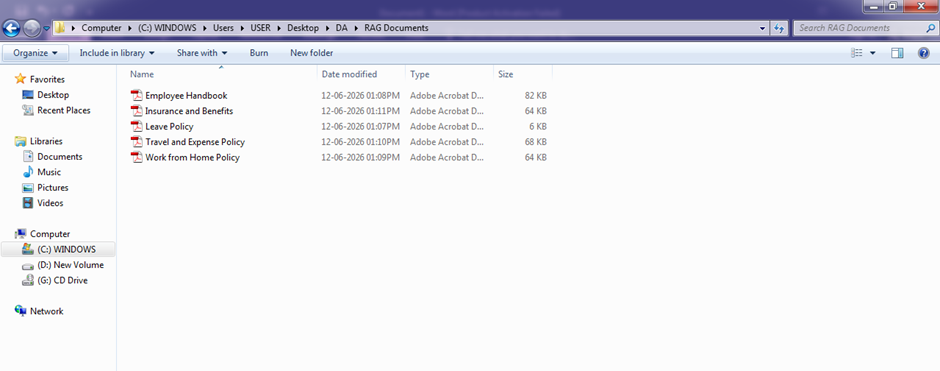
Created HR-related policy documents in PDF format.
Example documents:
Leave Policy.pdf
- Casual Leave: 12 days per year
- Sick Leave: 10 days per year
- Earned Leave: 15 days per year
Work from Home Policy.pdf
- Employees may work from home 2 days per week
- Manager approval required
Insurance and Benefits.pdf
- Medical Insurance: ₹5,00,000 coverage
- Parents Insurance: Optional add-on
- Learning Budget: ₹25,000 per year
- Gym Reimbursement: ₹1,500 per month
Travel Policy.pdf
- Hotel reimbursement: ₹5,000 per night
- Local transportation covered
Employee Handbook.pdf
- Working Hours: 9:00 AM – 6:00 PM
- Code of Conduct Guidelines
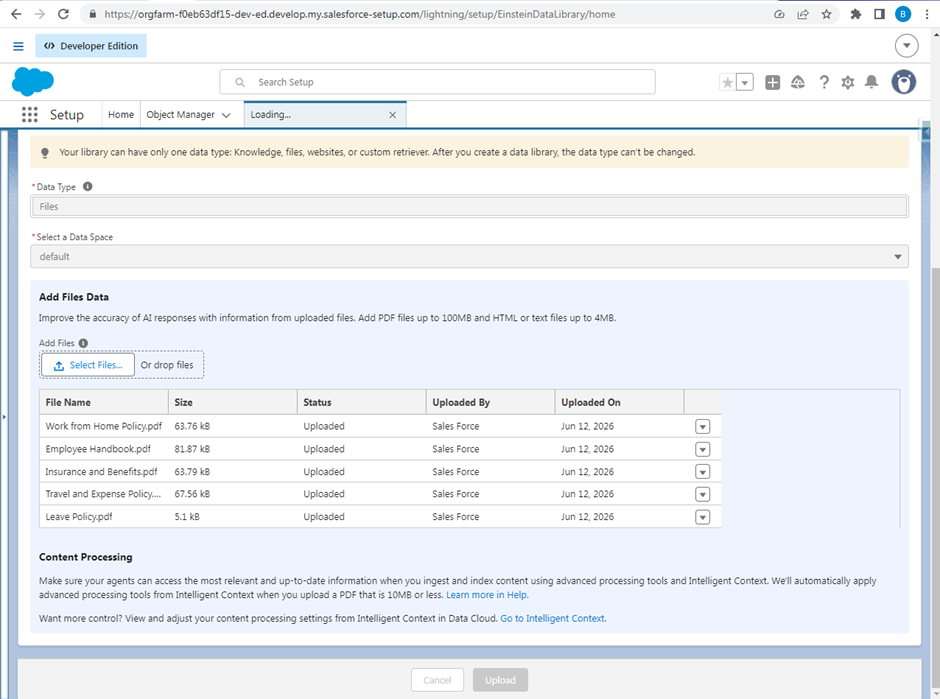
Step 2 – Create Agentforce Data Library
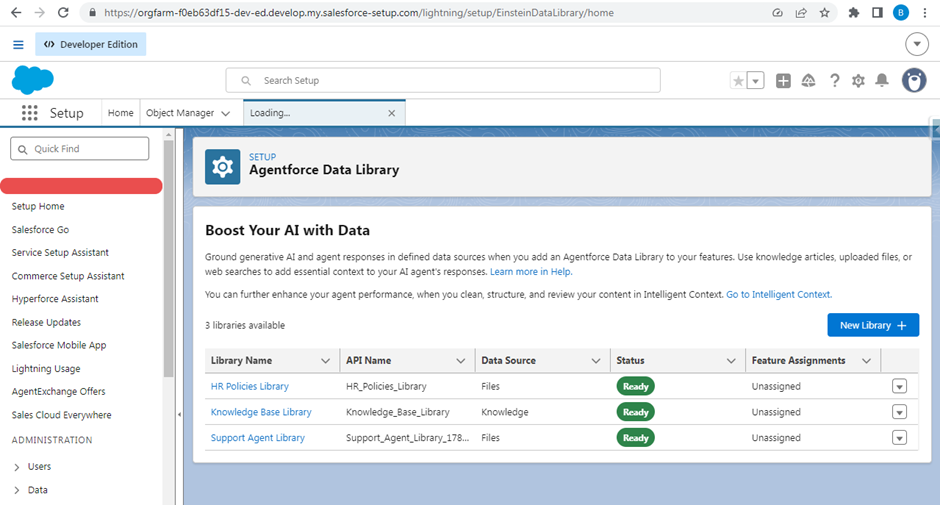
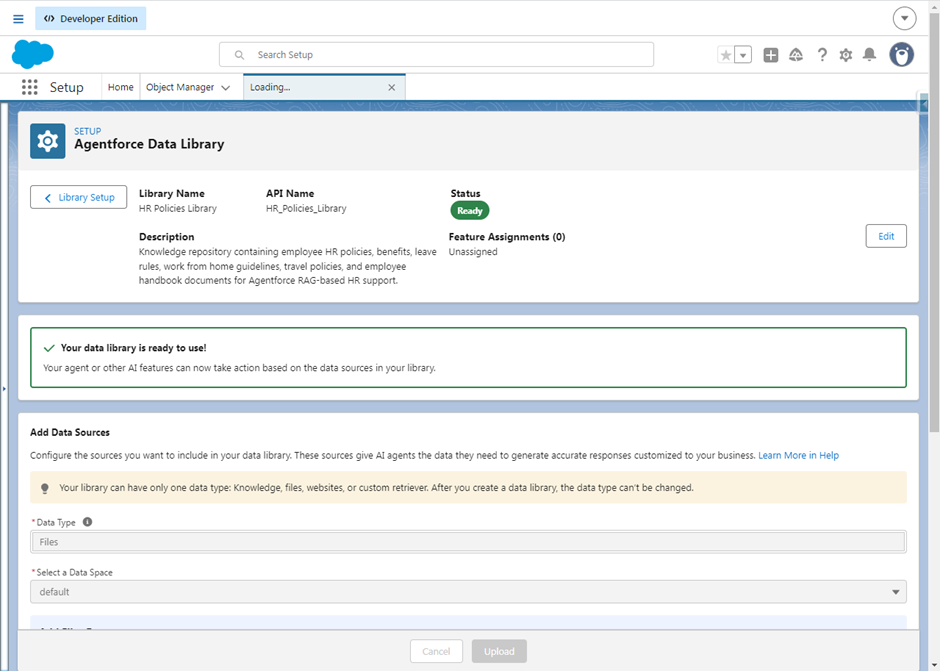
Navigate to: Setup → Agentforce Data Library
- Create: New Library
- Library Name: HR Policies Library
- Data Type: Files
- Upload all HR policy PDF documents.
After processing, the library status changes to: Ready
Step 3 – Create HR Policy Assistant Agent
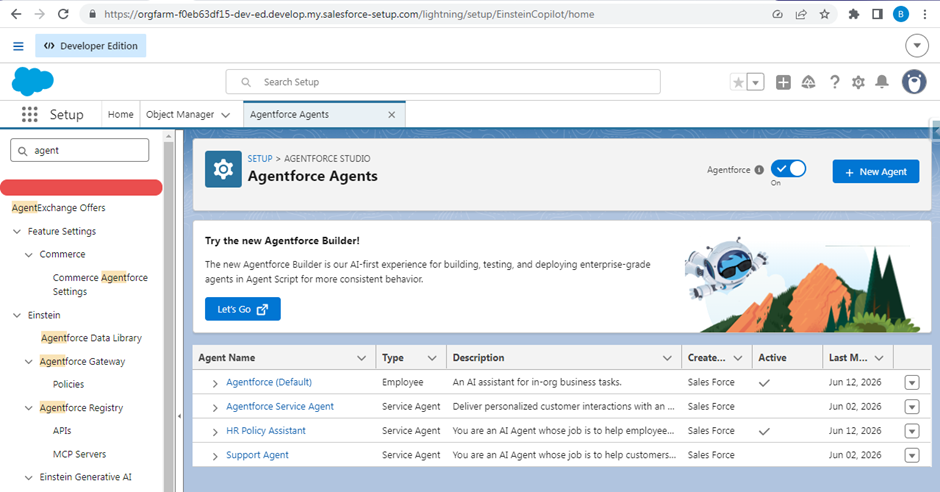
Navigate to: Setup → Agentforce Agents
- Create: New Agent
- Agent Name: HR Policy Assistant
- Role: Provides employees with accurate answers about HR policies, employee benefits, leave rules, insurance coverage, work-from-home guidelines, and company handbook information.
- Company Name: DemoCorp Technologies
- Company Description: DemoCorp Technologies provides digital business solutions and maintains employee policies covering leave, benefits, work from home, travel, insurance, attendance, and workplace guidelines.
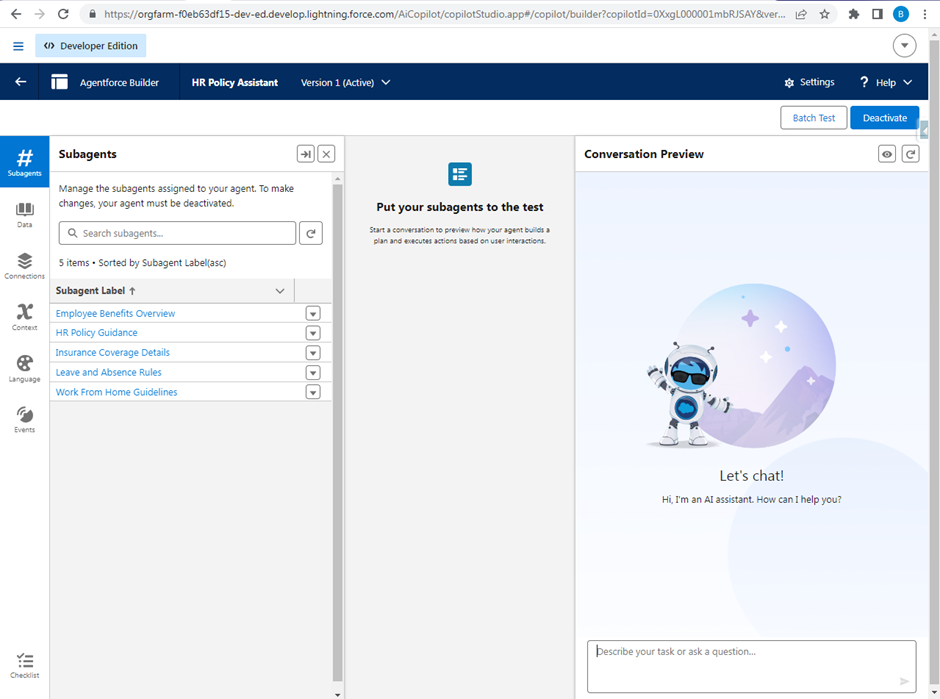
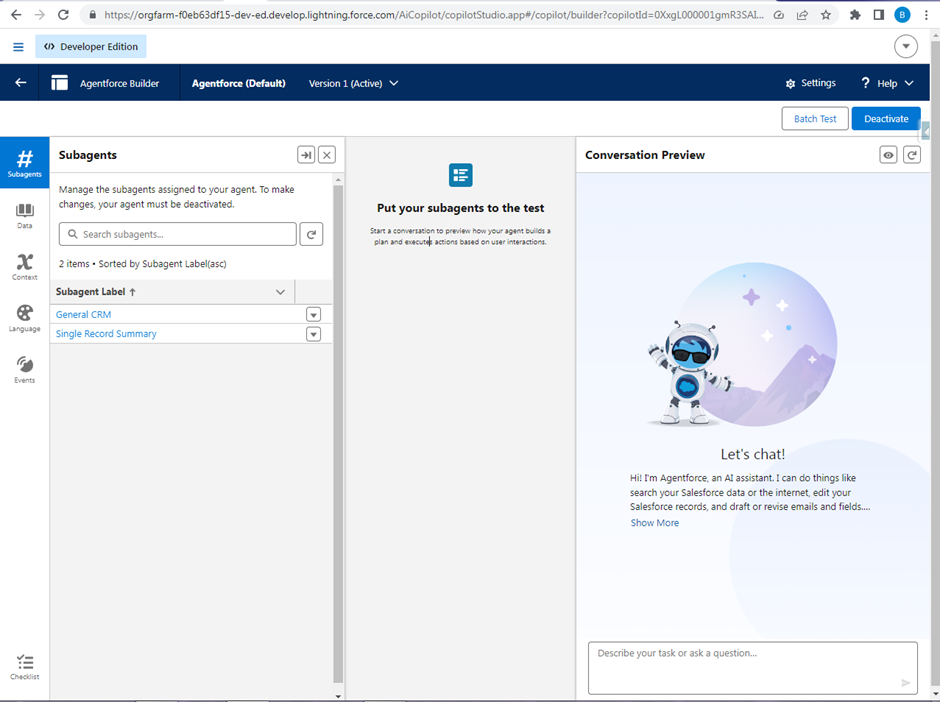
The Agentforce Builder automatically generated specialized subagents for different HR topics.
Examples:
- Employee Benefits Overview
- Leave Policy Assistant
- Work from Home Guidance
- Travel Policy Support
Step 4 – Connect the Data Library
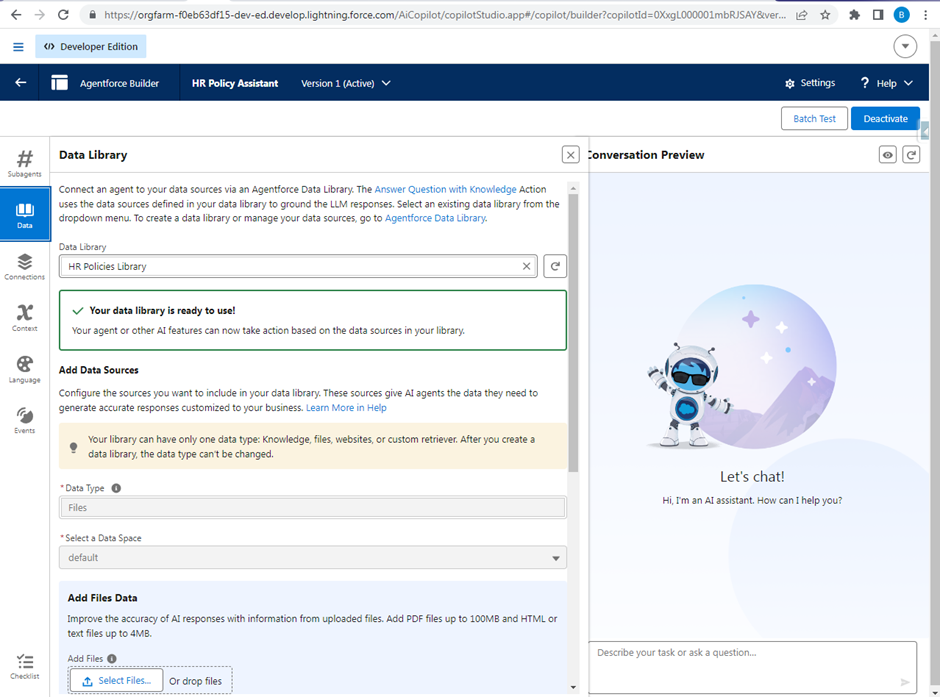
Open the Agent: HR Policy Assistant & Agentforce (Default)
Navigate to: Data
Select: HR Policies Library
Once connected, the agent gains access to all uploaded HR policy documents.
Step 5 – Activate the Agent
Activate the HR Policy Assistant & Agentforce (Default).
Alternatively, connect the same Data Library to: Agentforce (Default) - Agent
This allows users to interact with the HR knowledge base directly from the standard Agentforce experience.
Step 6 – Test the Solution
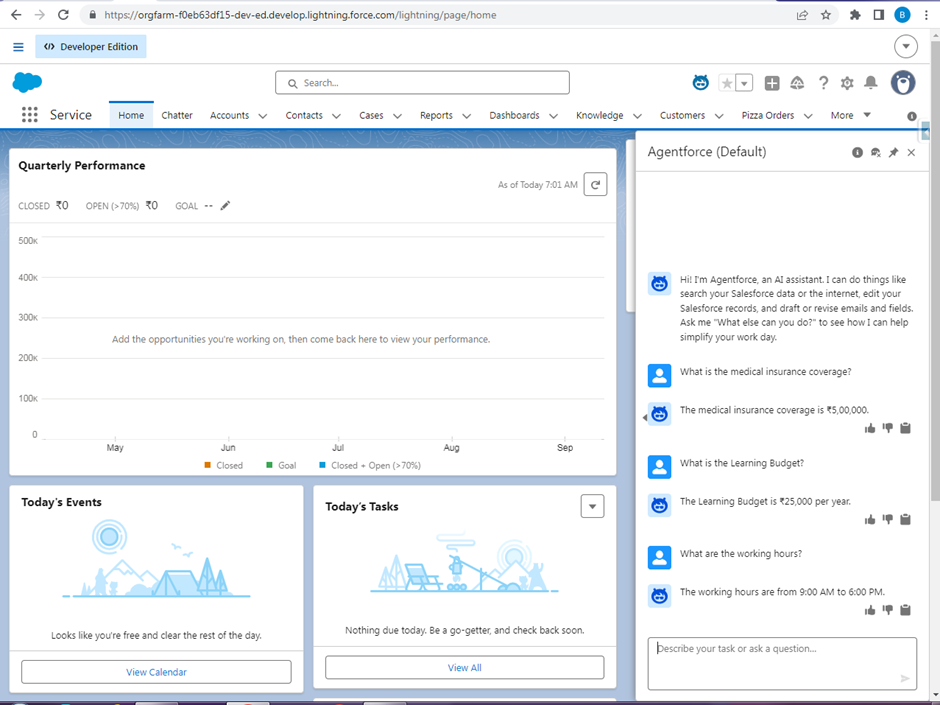
| Test Case | Question | Response |
|---|---|---|
| Test Case 1 | What is medical insurance coverage? | The medical insurance coverage is ₹5,00,000. |
| Test Case 2 | What is the Learning Budget? | The Learning Budget is ₹25,000 per year. |
| Test Case 3 | What are the working hours? | The working hours are from 9:00 AM to 6:00 PM. |
Key Benefits
For Employees:
- Instant answers to HR-related questions
- 24/7 availability
- Improved employee experience
For HR Teams:
- Reduced repetitive queries
- Increased productivity
- Consistent policy communication
For Organizations:
- Centralized knowledge management
- Improved compliance
- Faster information access
Conclusion
The AI-Powered Employee Policy & HR Assistant demonstrates how Salesforce Agentforce and Retrieval-Augmented Generation (RAG) can be used to transform traditional HR support processes. By integrating HR policy documents into an Agentforce Data Library, the AI agent can retrieve organization-specific information and provide accurate responses grounded in approved company policies. This reduces HR workload, improves employee satisfaction, and ensures consistent policy communication across the organization.
Pros
- Easy to implement
- Uses existing HR documents
- Accurate policy-based responses
- Scalable and reusable
- Improves employee self-service experience
Cons
- Responses depend on document quality
- Requires periodic document updates
- Limited to information available in uploaded documents