
Product Image Public URL Generator using Apex and Lightning Web Components
Generate publicly accessible URLs for Salesforce product images using Apex, Lightning Web Components, and Content Distribution.
Salesforce LWC Developer
Abstract
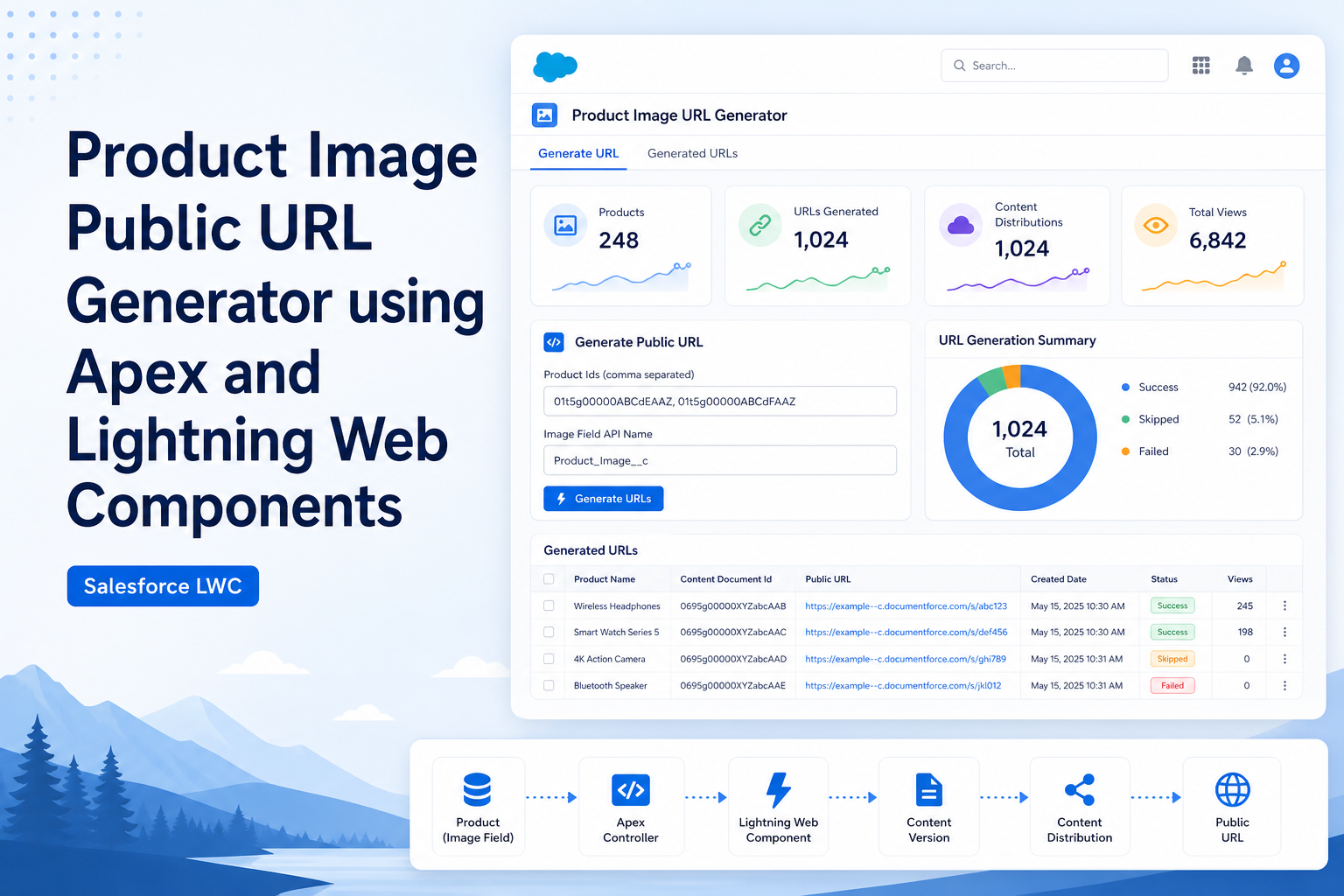
The Product Image Public URL Generator is a Salesforce application that enables users to upload product images and automatically generate publicly accessible URLs. The objective of this project is to simplify image management and provide external access to product images for use in websites, Experience Cloud portals, integrations, and custom applications. The solution integrates Lightning Web Components (LWC), Apex, Salesforce Files, and Content Distribution to provide seamless image upload and URL generation.
Solution
The application is developed using Salesforce Apex and Lightning Web Components. Users upload image files through a Lightning Web Component interface. The uploaded file is stored as a Salesforce File (ContentVersion). Apex processes the file, creates a Content Distribution record, and generates a public download URL.
The generated URL can optionally be stored in any Salesforce object and field based on business requirements. The component is designed to be flexible and reusable for various standard and custom objects.
Key Features
- Product image upload using Lightning Web Components.
- Automatic public URL generation.
- Integration with Salesforce Files.
- Content Distribution support for external access.
- Optional record update capability.
- Support for PNG, JPG, and JPEG image formats.
- User-friendly interface with loading indicators and status messages.
- Reusable design for multiple Salesforce objects.
Step-by-Step Guide
Step 1: Configure Salesforce Objects (Optional)
- Identify the object that requires image URL storage.
- Create a custom URL or Text field if necessary.
- The generated URL may be stored in any standard or custom object based on business requirements.
Step 2: Create Apex Controller
- Create an Apex class.
- Accept file information from Lightning Web Components.
- Convert file data into Salesforce File records.
- Create Content Distribution records.
- Generate a public URL.
- Optionally update Salesforce records with the generated URL.
Step 3: Create Lightning Web Component
- Add a file upload component.
- Restrict supported formats to PNG, JPG, and JPEG.
- Invoke Apex methods from JavaScript.
- Display loading indicators during processing.
- Show success and error messages.
Step 4: Upload Images
- Open a record.
- Upload an image.
- Generate a public URL automatically.
- Use the URL for websites, portals, reports, or integrations.
Step 5: Verify Results
| Item | Value |
|---|---|
| Input | Upload Image — Laptop.jpg |
| Generated URL | https://yourDomain.my.salesforce.com/sfc/dist/version/download/?oid=... |
Architecture Flow
User Uploads Image (LWC)
          ↓
Salesforce File Upload
          ↓
 ContentVersion Record
          ↓
   Apex Controller
          ↓
Content Distribution Creation
          ↓
 Public URL Generation
          ↓
Return URL to User or External Application
Conclusion
The Product Image Public URL Generator provides a simple and efficient approach for managing images in Salesforce. By integrating Apex, Lightning Web Components, and Salesforce Files, organizations can easily expose images for external applications and websites.
Advantages
- Simplifies image management.
- Generates publicly accessible image URLs.
- Eliminates manual URL creation.
- Integrates seamlessly with Salesforce Files.
- Provides a user-friendly interface.
- Supports external websites and integrations.
- Demonstrates practical file handling using Apex.
- Can be reused across multiple Salesforce objects.
Disadvantages
- Public URLs may expose files externally.
- Additional security considerations may be required.
- Depends on Salesforce File storage limits.
- Large files may impact performance.
- Proper access management should be implemented.
Technologies Used
- Salesforce Apex
- Lightning Web Components (LWC)
- Salesforce Files
- ContentVersion
- ContentDistribution
- SOQL
- JavaScript
Summary
This Proof of Concept demonstrates Salesforce file management, Apex development, Lightning Web Components, and Content Distribution functionality. It highlights how images can be uploaded and shared publicly, enabling seamless access across websites, portals, and external integrations. The solution is flexible and can optionally update any Salesforce object based on business requirements.