
Prepaid Package Redemption Implementation in Salesforce Commerce
Implement prepaid package redemption workflows in Salesforce Commerce for seamless customer purchase experiences.
Salesforce Commerce Developer
Abstract
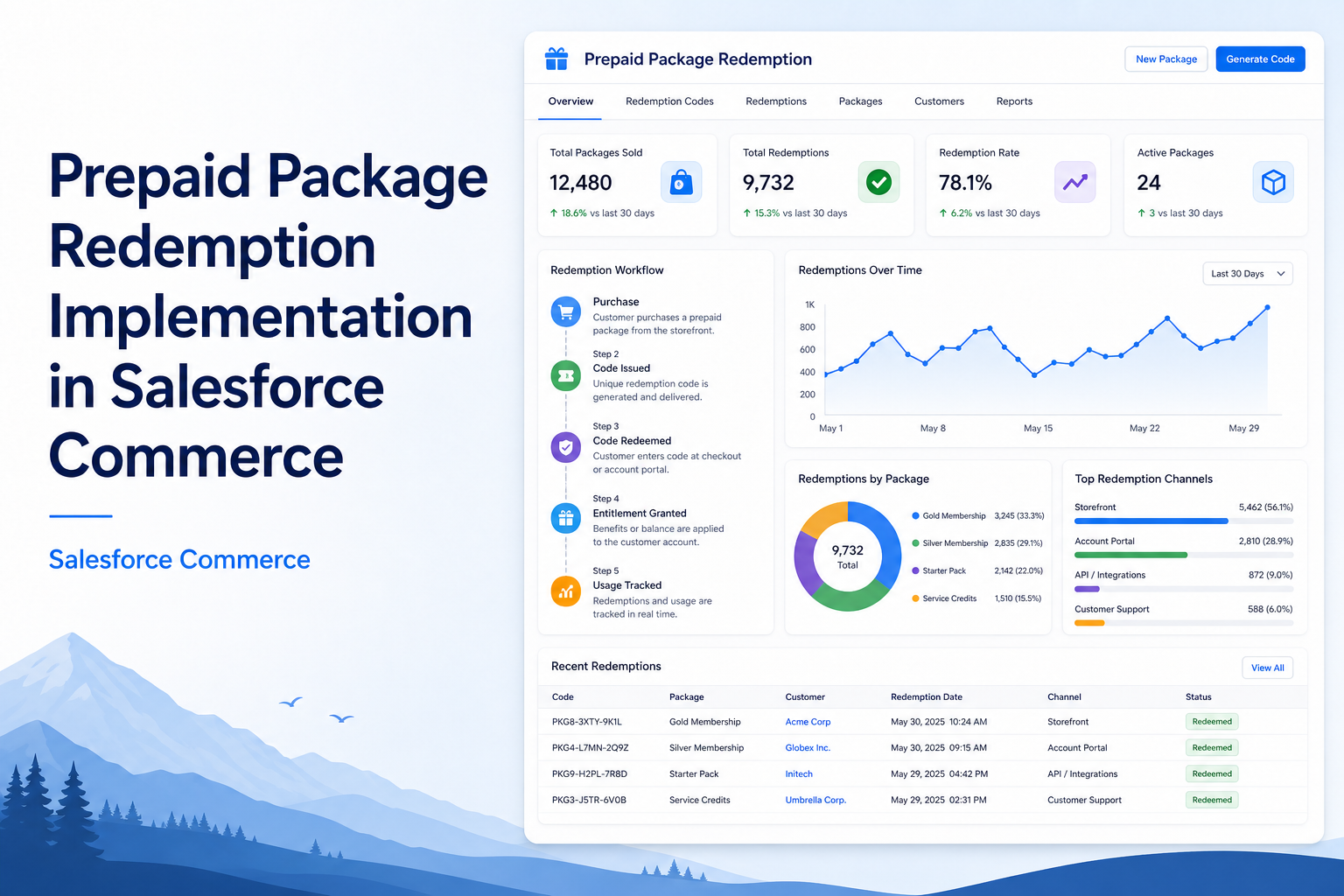
The Prepaid Package Redemption functionality enables users to purchase prepaid packages containing predefined hours and utilize those hours for future course enrollments.
The objective of this implementation is to provide a flexible payment mechanism where users can purchase a Prepaid package in advance and redeem the available balance while purchasing eligible courses.
The solution supports complete redemption and partial redemption scenarios. If the available prepaid balance is sufficient, the course amount is fully covered using prepaid hours. If the available balance is insufficient, the remaining amount is automatically calculated as a top-up payment.
This implementation provides automated prepaid balance management, parent-child product validation, redemption calculation, top-up handling, and balance deduction after successful order completion.
Solution
The Prepaid Package solution is implemented using a parent-child product relationship.
The prepaid package is configured as the Parent Product, and the courses that can be purchased using the prepaid balance are configured as Child Products.
Example:
| Product Type | Example |
|---|---|
| Parent Product | Flexi Prepaid Package - 100 Hours |
| Child Product | Salesforce Admin Course |
| Child Product | Salesforce Developer Course |
The relationship between parent and child products determines which courses are eligible for prepaid redemption.
Prepaid Package Purchase Flow
When a user purchases a prepaid package, the system creates a prepaid balance record after successful order completion.
The prepaid balance record stores:
- Account information
- Prepaid Package details
- Purchased hours
- Available balance hours
- Package expiry date
- Rate per hour
The purchased product hours become the available prepaid balance for future redemption.
Prepaid Balance Calculation
The prepaid balance is calculated based on the package configuration.
Available Prepaid Balance Calculation: Total Prepaid Balance = Product Hours
Rate Per Hour Calculation
The Rate/HR value is calculated based on the final purchase amount.
Formula:
Rate/HR = Final Purchase Amount ÷ Total Product HoursExample:
| Value | Amount |
|---|---|
| Package Hours | 100 Hours |
| Final Purchase Amount | $1000 |
| Rate/HR | $1000 ÷ 100 = $10 per hour |
If a voucher code or discount is applied during purchase, the discounted final amount is considered for Rate/HR calculation. This ensures the prepaid value reflects the actual amount paid by the customer.
Prepaid Redemption Flow
The redemption process allows users to utilize the available prepaid balance while purchasing eligible child courses.
The redemption flow starts when the user selects a course during checkout.
The system performs the following validations:
- Identify selected child product.
- Find related prepaid parent package.
- Retrieve available prepaid balance.
- Calculate required course hours.
- Compare available balance with required hours.
- Apply redemption or create top-up amount.
Step-by-Step Guide
Step 1: Configure Parent and Child Product Mapping
Before redemption, products must be mapped. The prepaid package is configured as the parent product, and eligible courses are mapped as child products.
Example:
- Parent: Flexi Package - 100 Hours
- Child: Salesforce Admin, Salesforce Development, Salesforce Consultant
Only mapped child products can use prepaid redemption.
Step 2: Purchase Prepaid Package
The user purchases the prepaid package.
After successful payment:
- Order is created.
- Purchased product hours are identified.
- Prepaid balance record is created.
- Available hours are stored against the account.
Example: Purchased Package = 50 Hours → Created Prepaid Balance: Total Balance = 50 Hours
Step 3: Select Course During Checkout
The user selects a course that is mapped under the prepaid package.
Example: Selected Course = 20-hour Package, Required Hours = 7 Hours
The system checks whether this course is eligible for prepaid redemption.
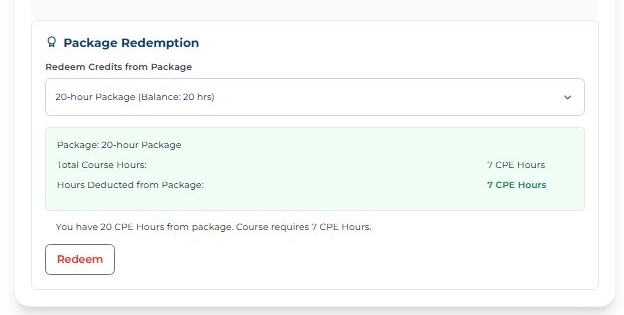
Step 4: Select Prepaid Package
During checkout, available prepaid packages are displayed. The user selects the required prepaid package.
Example: Available Package = 20-hour Package, Total Balance = 20 Hours
Step 5: Calculate Redemption
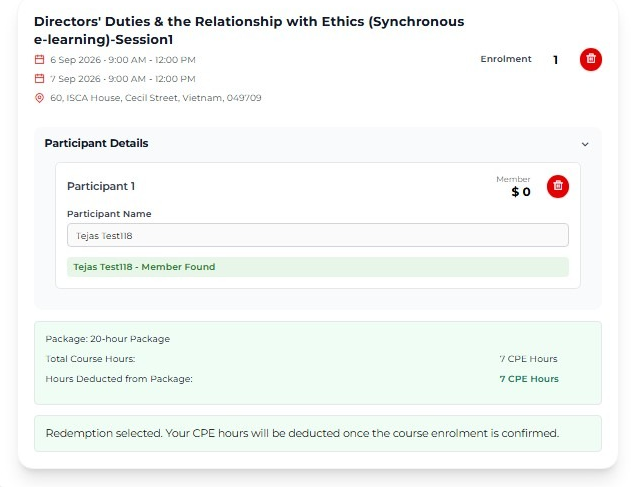
The system compares available prepaid hours with course required hours.
Scenario 1: Full Redemption
| Item | Value |
|---|---|
| Available Balance | 20 Hours |
| Course Requirement | 7 Hours |
| Redeemed Hours | 7 Hours |
| Remaining Balance | 20 - 7 = 13 Hours |
Result: Course is fully covered. No additional payment required.
Step 6: Calculate Top-up
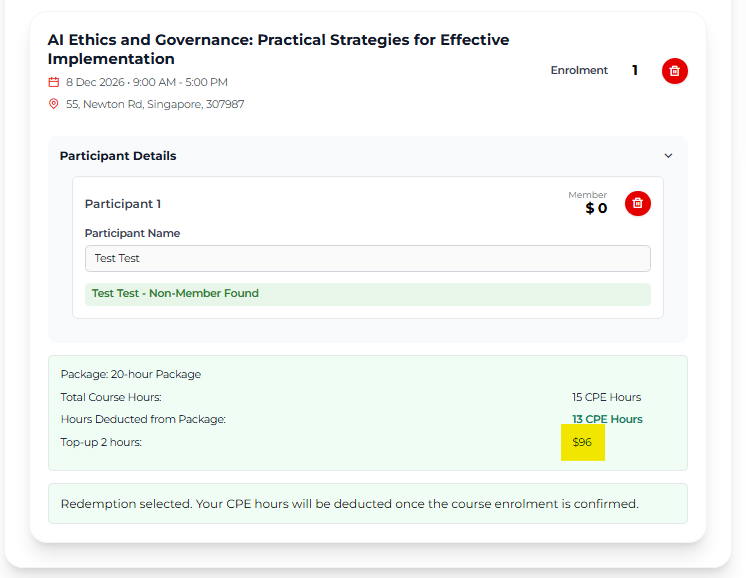
If available balance is insufficient, the system calculates the remaining amount.
| Item | Value |
|---|---|
| Available Balance | 13 Hours |
| Course Requirement | 15 Hours |
| Redeemed Hours | 13 Hours |
| Remaining Hours | 15 - 13 = 2 Hours |
| Remaining Hours × Rate/Hr | 2 × 48 = 96 |
Result: 13 hours are deducted from the prepaid balance. The remaining 2 hours are converted into a top-up amount. The customer pays only the remaining amount of 96.
Step 7: Cart Update
After redemption calculation, cart details are updated. The system maintains:
Redeem Cart Item — stores: selected course, prepaid package reference, redeemed amount, redeemed hours.
Top-up Cart Item — stores: remaining payable amount, additional required hours, top-up details.
This separation helps maintain accurate cart calculations.
Step 8: Apply Discount and Recalculate Tax
After applying redemption, the system updates cart pricing.
Process:
- Remove previous redeem adjustments.
- Apply new redemption discount.
- Update cart total.
- Recalculate tax based on updated amount.
This ensures the checkout amount reflects the actual payable value.
Step 9: Complete Order and Deduct Balance
After successful order placement, the redeemed hours are deducted from the prepaid balance record.
| Available Balance | |
|---|---|
| Before Order | 50 Hours |
| Redeemed Course | 20 Hours |
| After Order | 30 Hours |
The remaining balance can be used for future course registrations.
Prepaid Redemption Architecture Flow
Product Configuration
        |
   Parent Product
     (Package)
        |
Child Product Mapping
     (Courses)
        |
Prepaid Package Purchase
        |
Create Prepaid Balance
        |
   Course Selection
        |
Validate Parent-Child Mapping
        |
  Calculate Redemption
        |
Full Redemption / Top-up
        |
   Update Cart & Tax
        |
   Order Completion
        |
  Deduct Prepaid Balance
Conclusion
The Prepaid Package Redemption implementation provides an efficient way for users to manage prepaid learning hours and utilize them for future course registrations.
Advantages
- Automated prepaid balance tracking.
- Supports complete and partial redemption.
- Reduces manual payment processing.
- Provides accurate balance deduction.
- Handles top-up payments automatically.
- Maintains clear parent-child product relationships.
Limitations
- Redemption is possible only for mapped child products.
- Incorrect product mapping may prevent redemption.
- Prepaid balance availability must be maintained accurately.
Overall, this solution provides a flexible prepaid payment experience while ensuring accurate balance management throughout the commerce lifecycle.