
Modernizing NGO Fundraising and Donor Management with Salesforce NPSP
Leverage Salesforce Nonprofit Success Pack (NPSP) to modernize fundraising, donor engagement, and nonprofit operations.
Salesforce Developer
Abstract
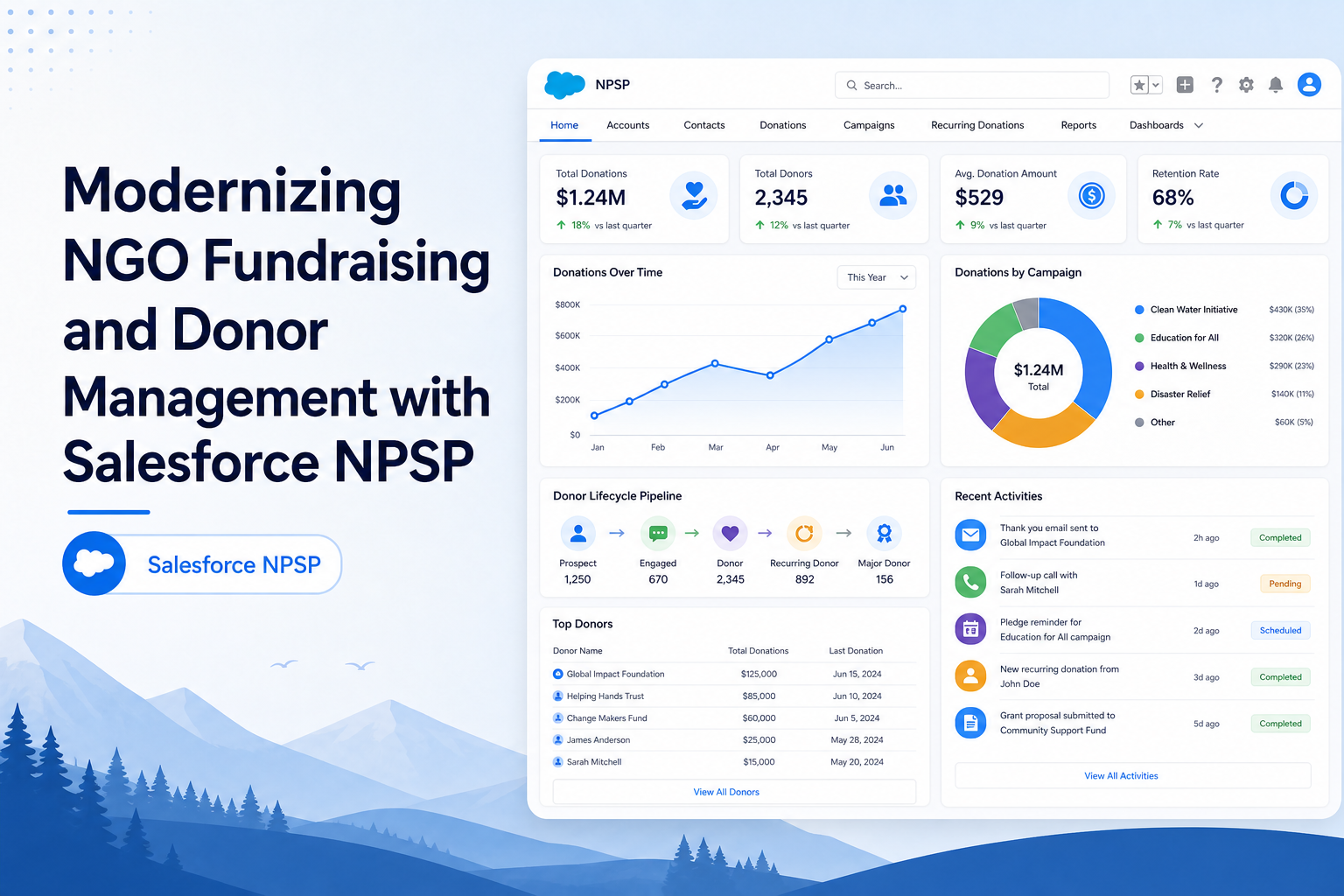
Non-Governmental Organizations (NGOs) often manage donor information, donations, fundraising campaigns, volunteers, and beneficiaries using multiple tools and manual processes. As the organization grows, maintaining accurate records and generating meaningful insights becomes increasingly difficult. To address these challenges, we implemented an NGO Donation Management Solution using Salesforce Nonprofit Success Pack (NPSP). The solution centralizes donor management, donation tracking, campaign management, reporting, and donor communication within a single platform. The objective of this implementation was to improve operational efficiency, strengthen donor relationships, automate key processes, and provide real-time visibility into fundraising activities.
Solution
The Salesforce Nonprofit Success Pack (NPSP) was used as the foundation for the NGO Donation Management System. NPSP provides nonprofit-focused capabilities for managing donors, donations, households, organizations, campaigns, and fundraising activities.
The application was designed around four major business areas:
- Donor Management: Manage individual and organizational donors in a centralized system.
- Donation Management: Track donation transactions and maintain complete donation history.
- Campaign Management: Organize fundraising initiatives such as Food Campaigns, Education Campaigns, Medical Assistance Campaigns, and Dress Donation Campaigns.
- Reporting and Communication: Generate reports, dashboards, donation receipts, and automated donor communications.
The solution enables the NGO to efficiently manage stakeholders, monitor fundraising performance, and improve donor engagement.
Step-by-Step Guide
Step 1: Configure Account Management
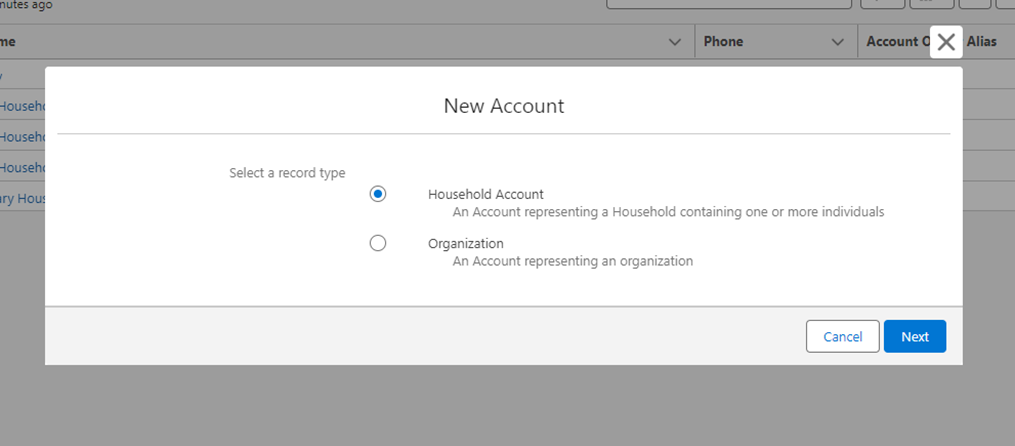
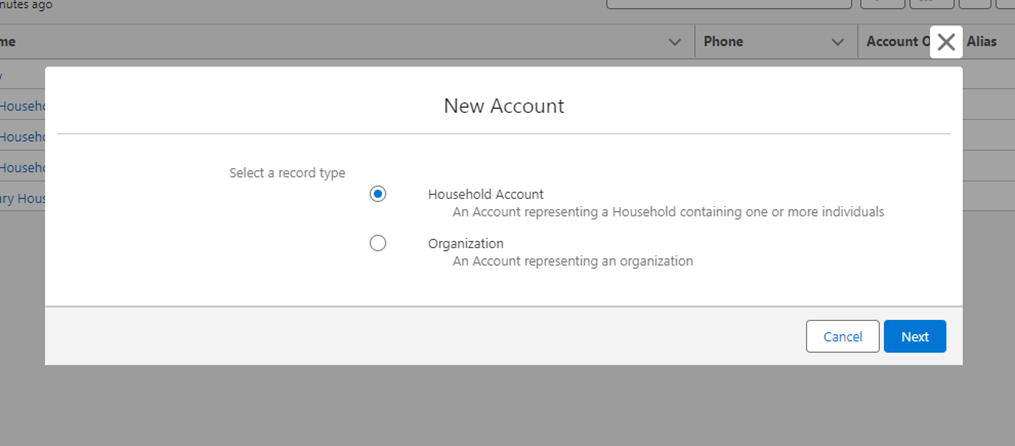
The Account object is used to represent both households and organizations associated with the NGO.
Household Account:
- Represents a family or individual household
- Mainly used for individual donors
Contacts (Donors, Beneficiaries, Volunteers) are related to Household Accounts. Example: A family donating regularly to the NGO.
Organization Account:
- Represents companies, NGOs, partners, vendors, or institutions
- Used for corporate donors and partner organizations
Example: Corporate sponsor, funding partner, NGO collaborator.
Step 2: Configure Contact Management
The Contact object is used to store details of individuals involved with the NGO.
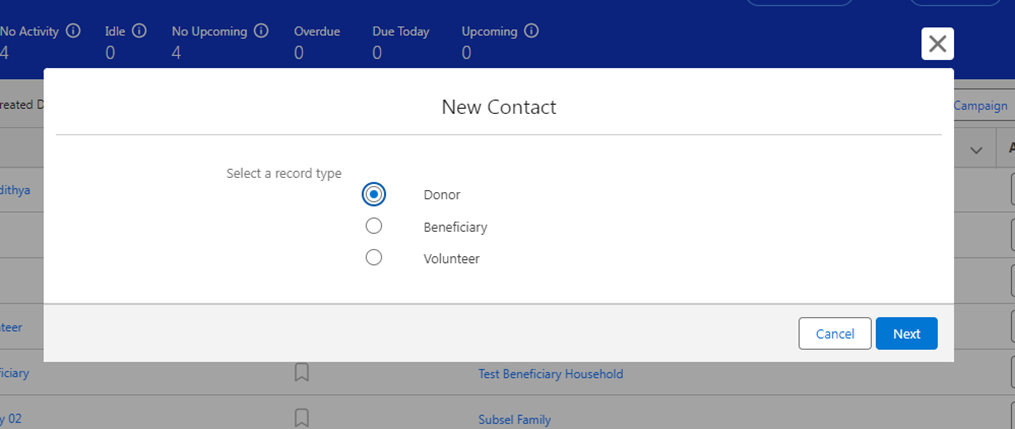
Contact Record Types
There are 3 Record Types in the Contact object:
| Record Type | Description | Key Purpose |
|---|---|---|
| Donor | Represents individuals who donate money. Linked to Donations (Opportunities). Eligible to receive donation confirmation emails and receipts. | Track donor details, link donations to donors, reporting on donor contribution |
| Beneficiary | Represents individuals who receive support or services from the NGO. Not involved in donation activities. | Track beneficiaries, associate beneficiaries with specific programs or campaigns. Used only for service tracking (no donation emails). |
| Volunteer | Represents individuals who volunteer for NGO activities. Can be associated with campaigns or programs. | Track volunteer participation, monitor volunteer status and contribution |
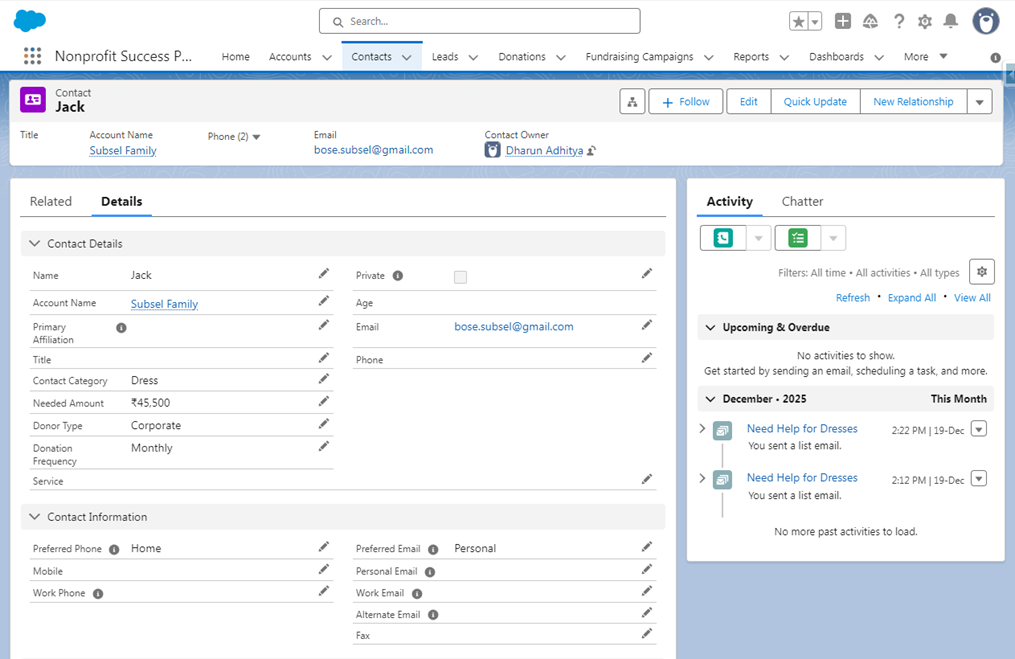
Contact Creation
Stores personal information of individuals and is used to track donors, volunteers, or beneficiaries. When creating a contact, the user selects Category (Food, Dress, Education, Medical, etc.). When a Contact is created with "Category = Food", it is automatically added to the Food Campaign as a Campaign Member. The same logic applies for all categories (Food, Dress, Education, Medical, etc.).
Screenshots
Contact Record Types
Step 3: Implement Campaign Categorization
A Category field is maintained on Contact records.
Sample Categories:
- Food
- Education
- Medical
- Dress
When a contact is associated with a specific category, the contact is automatically linked to the corresponding fundraising campaign as a campaign member.
Example: Category = Food → Result: The contact becomes a member of the Food Campaign.
Step 4: Configure Donation Management
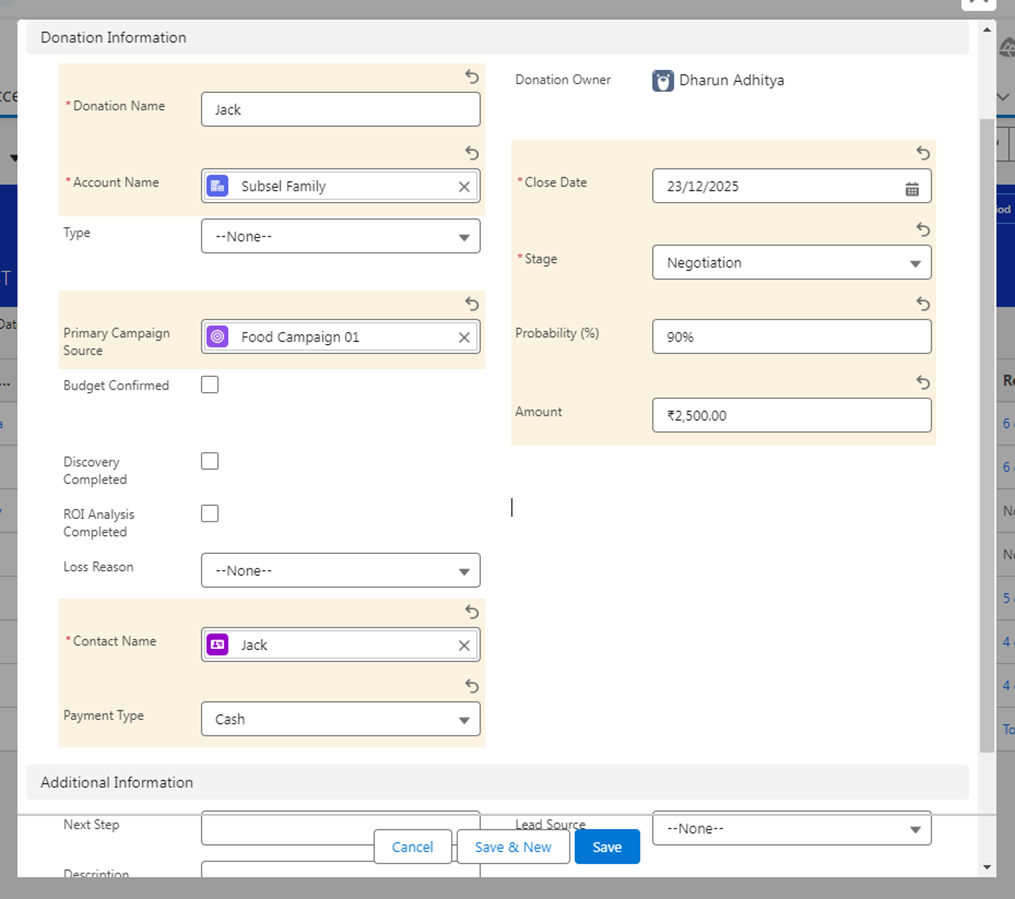
The Opportunity object is renamed and used as a Donation. Each donation record stores information about a contribution made by a donor.
Every Donation is associated with:
- Donor Contact
- Household or Organization Account
- Fundraising Campaign
Example: Donation Amount: ₹10,000, Campaign: Education Support Campaign.
Step 5: Generate Donation Receipts
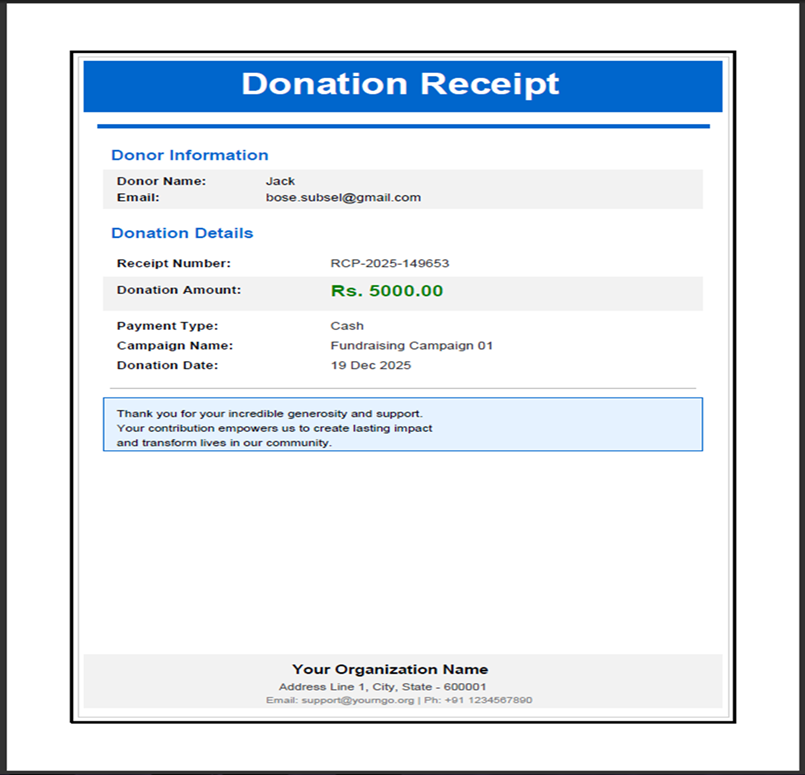
Donation receipts are generated to acknowledge donor contributions.
The receipt includes:
- Donor Name
- Donation Amount
- Donation Date
- Campaign Details
This helps maintain transparency and provides official documentation for donors.
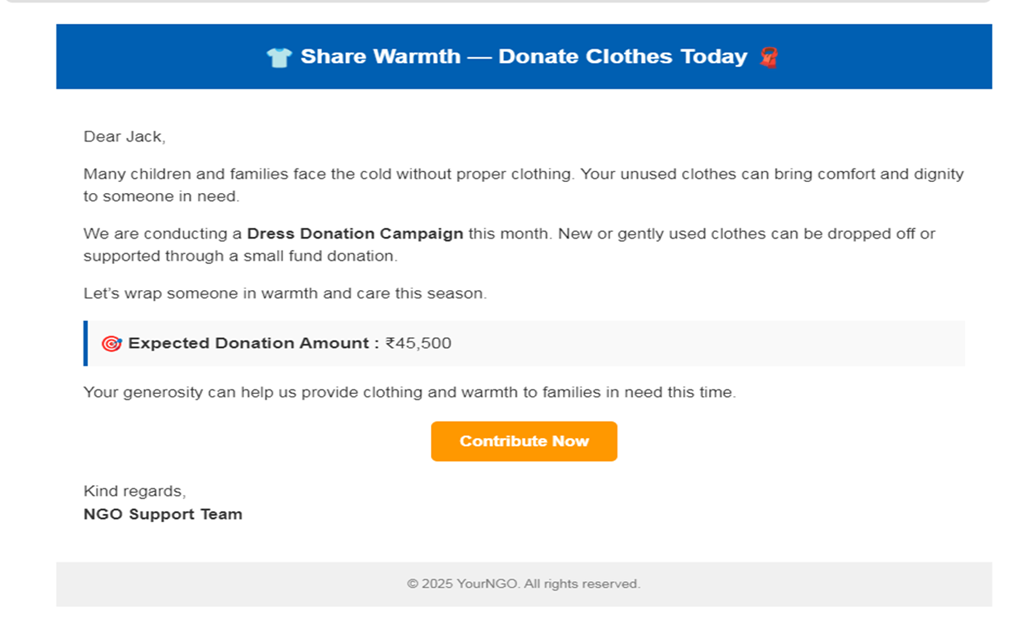
Step 6: Automate Donor Communication
After a donation is recorded, an automated thank-you email is sent to the donor.
The email includes:
- Personalized donor information
- Donation acknowledgement
- Donation receipt attachment
This process improves donor engagement and strengthens donor relationships.
Step 7: Configure Fundraising Campaigns
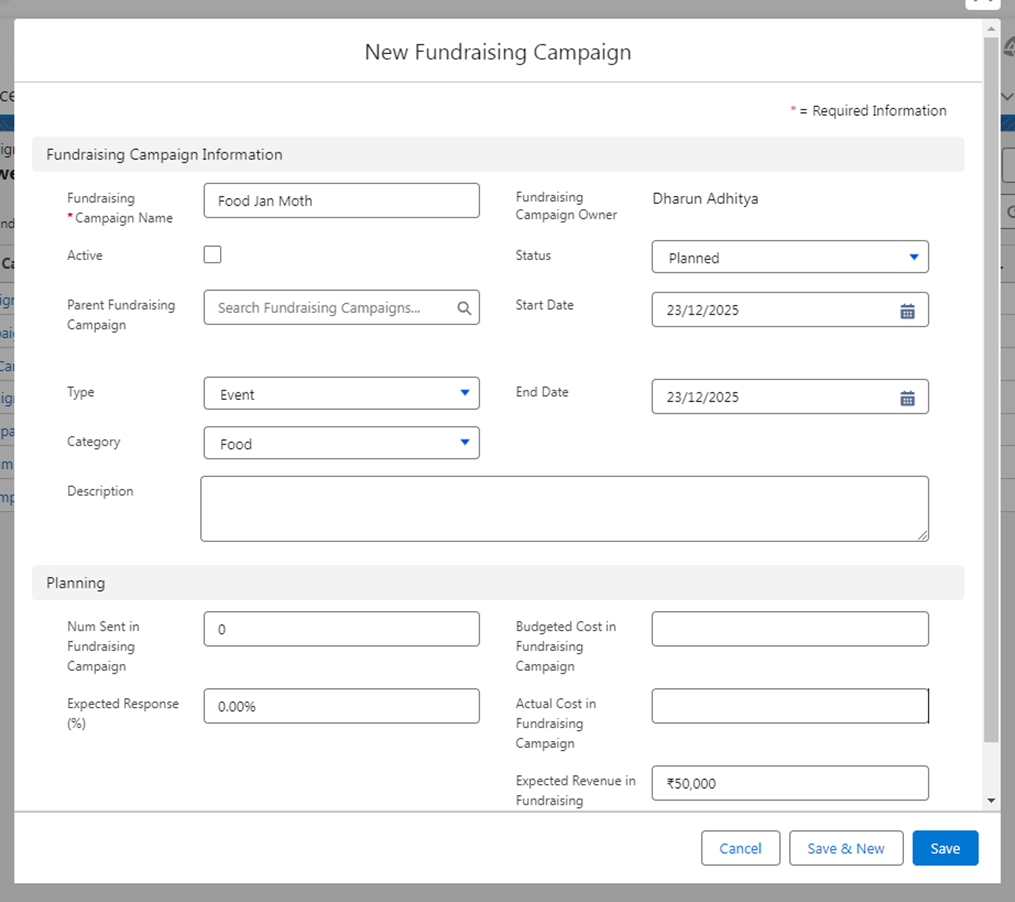
The Campaign object is used as a Fundraising Campaign.
Examples:
- Food Campaign
- Education Support Campaign
- Medical Assistance Campaign
- Dress Donation Campaign
Campaigns help the NGO organize fundraising efforts and track campaign performance.
Step 8: Create Reports
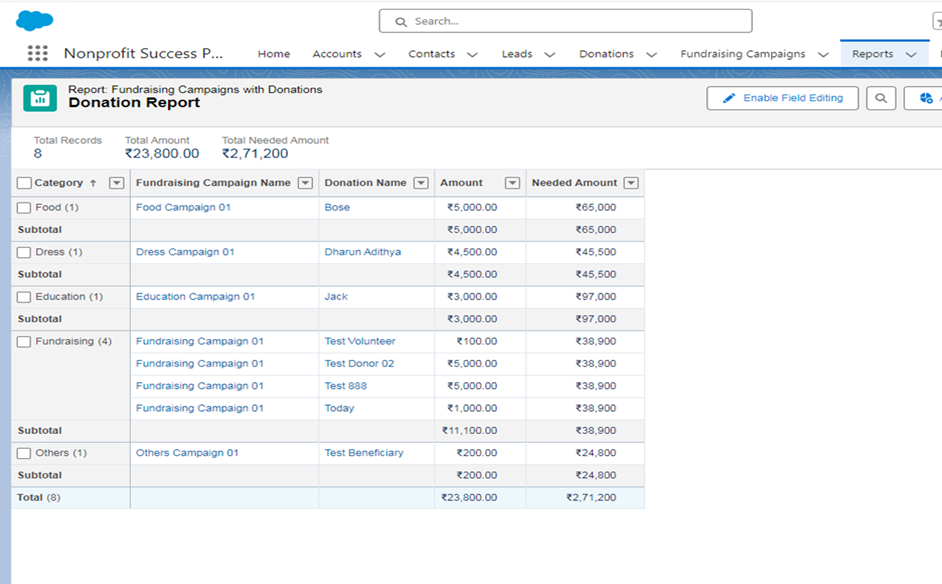
Reports are used to analyze and monitor data within the system.
Sample Reports:
- Total Donations Received
- Donor List
- Active Volunteers
- Campaign Performance
Reports provide structured insights and support decision-making.
Step 9: Build Dashboards
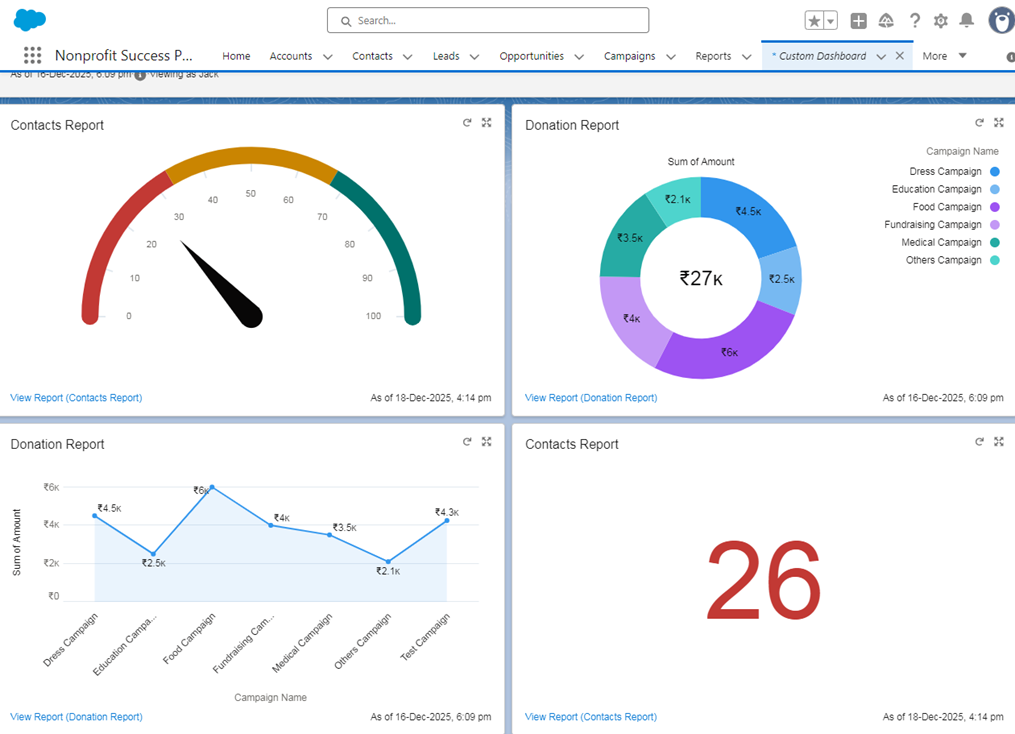
Dashboards provide visual representations of key fundraising metrics.
Dashboard Components:
- Total Funds Raised
- Campaign-wise Donation Comparison
- Monthly Donation Trends
- Active Donor Statistics
These dashboards allow users to monitor organizational performance in real time.
Conclusion
The NGO Donation Management Solution built using Salesforce NPSP successfully centralized donor, donation, campaign, and reporting processes into a single platform. The implementation improved operational efficiency by automating donor management activities, donation tracking, receipt generation, and donor communication. Reports and dashboards provide real-time visibility into fundraising activities, enabling better decision-making and campaign monitoring.
Advantages
- Centralized donor management
- Automated donation tracking
- Improved campaign management
- Automated donor communication
- Real-time reports and dashboards
- Better fundraising visibility
- Reduced manual effort
Limitations
- Requires Salesforce licensing
- User training is required for adoption
- Customizations may require additional configuration effort
Overall, Salesforce NPSP provides a scalable and efficient solution for nonprofit organizations looking to modernize fundraising operations and improve donor engagement.
Project Outcome
This implementation successfully transformed manual donor and fundraising operations into a centralized Salesforce NPSP platform. The solution improved donor engagement, increased operational efficiency, enabled better campaign tracking, and provided real-time visibility through reports and dashboards.