
Metadata Configurable LWC
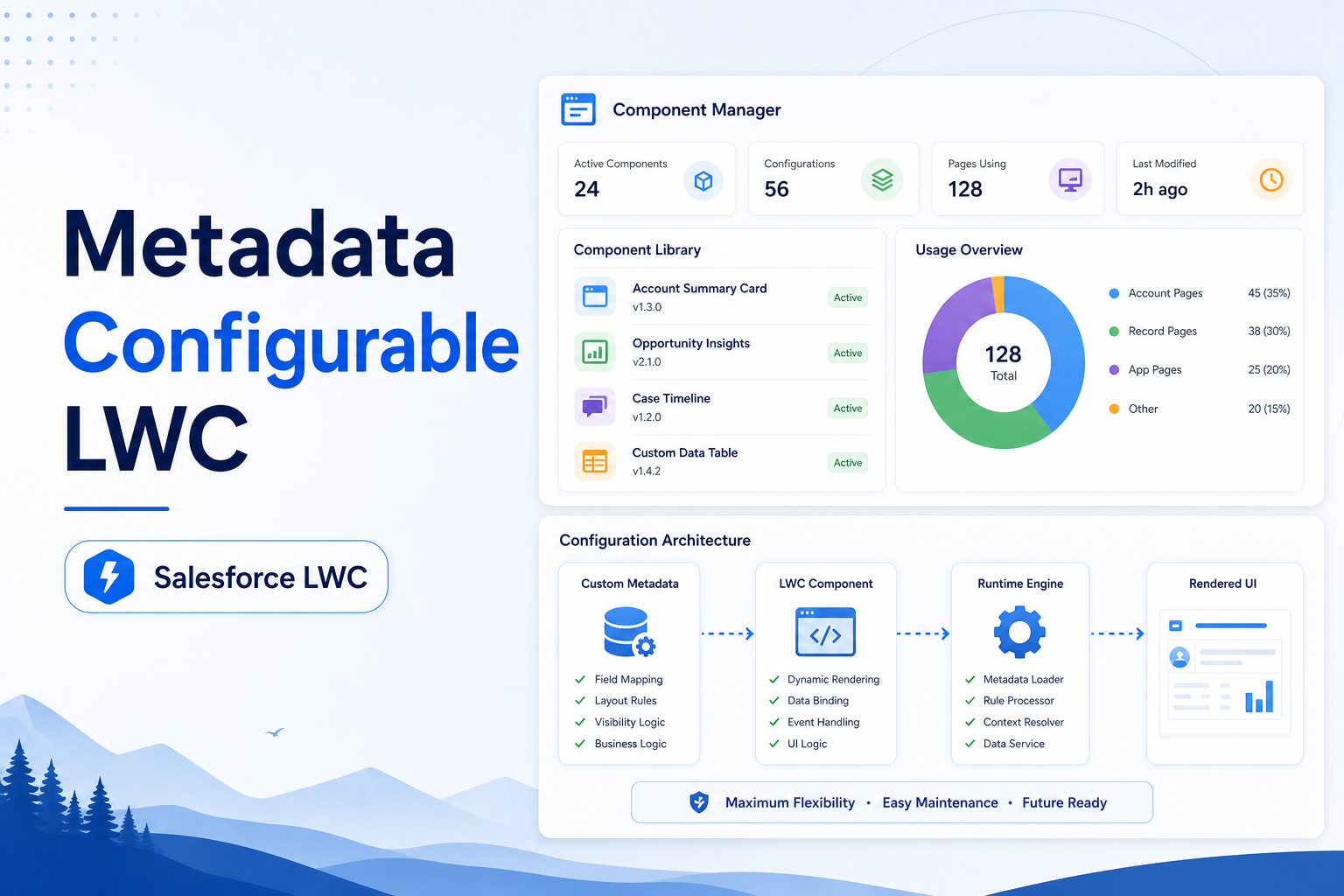
Build reusable Lightning Web Components driven entirely by Custom Metadata for maximum flexibility and maintainability.
Salesforce LWC Developer
Abstract
This solution demonstrates how to build a Metadata-Driven Opportunity List View and Opportunity Details Page using Salesforce Lightning Web Components (LWC), Apex, and Custom Metadata Types. Instead of hardcoding table columns, labels, page titles, and SOQL queries, all configurations are maintained in Custom Metadata records. This approach enables Salesforce Administrators to modify the user interface and data presentation without changing application code.
The solution provides a dynamic and reusable framework that supports configurable data tables, record detail pages, search functionality, pagination, and navigation between records. It significantly reduces development effort, improves maintainability, and allows the same framework to be extended to other Salesforce objects.
Business Requirement
Organizations often require different Opportunity views for different business processes. Traditional implementations require developers to modify code whenever table columns, labels, or queries change.
The objective of this solution is to:
- Eliminate hardcoded configurations.
- Allow administrators to control table layouts.
- Support dynamic Opportunity listing.
- Display Opportunity details dynamically.
- Provide reusable components for future implementations.
Use Cases
Use Case 1: Dynamic Opportunity List View
Scenario: Sales users need a configurable Opportunity list that displays different columns based on business requirements.
Solution: Administrators create metadata records defining:
- Table Headers
- Field API Names
- SOQL Queries
- Table Titles
The LWC automatically reads the metadata and generates the table.
Benefits:
- No code changes required.
- Faster configuration updates.
- Easy maintenance.
Use Case 2: Opportunity Details Page
Scenario: Users need to view Opportunity details by clicking on an Opportunity Name.
Solution: The selected Opportunity Id is passed to Apex, which dynamically executes metadata-driven queries and displays Opportunity details.
Benefits:
- Dynamic record detail rendering.
- Metadata-controlled layouts.
- Reusable for other objects.
Use Case 3: Search Opportunities
Scenario: Users need to quickly locate Opportunities from large datasets.
Solution: The component includes a search box that filters Opportunity records based on the Opportunity Name.
Benefits:
- Improved user productivity.
- Faster record lookup.
- Better user experience.
Use Case 4: Pagination
Scenario: Large datasets impact performance and usability.
Solution: Pagination logic displays records in configurable page sizes (5, 10, 15).
Benefits:
- Improved page performance.
- Better readability.
- Reduced browser load.
Use Case 5: Reusable Framework
Scenario: The same functionality is required for Accounts, Contacts, Cases, and Custom Objects.
Solution: Only metadata records need to be updated.
Benefits:
- One framework supports multiple objects.
- Reduced development effort.
- Faster implementation.
Step-by-Step Implementation
Step 1: Create Custom Metadata Types
Create the following Custom Metadata Types:
Opportunity_DataTable_Configuration__mdt
| Field Name | Purpose |
|---|---|
| DeveloperName | Metadata Identifier |
| Table_Title__c | Table Header |
| Header_Value__c | Column Labels |
| Field_values__c | API Fields and Data Types |
| Query__c | Dynamic SOQL Query |
Opportunity_Details_Data__mdt
| Field Name | Purpose |
|---|---|
| DeveloperName | Metadata Identifier |
| Table_Title__c | Detail Page Title |
| Header_Values__c | Detail Labels |
| Field_values__c | Detail Fields |
| Queries__c | Dynamic SOQL Query |
Step 2: Create Metadata Records
Create records inside the metadata types.
Example — Opportunity_DataTable_Configuration:
| Field | Value |
|---|---|
| DeveloperName | Opportunity |
| Table Title | Opportunity List |
| Header Values | Opportunity Name, Stage, Amount |
| Field Values | Name:text, StageName:text, Amount:currency |
| Query | SELECT Id, Name, StageName, Amount FROM Opportunity |
Step 3: Create Apex Controller
Develop an Apex Controller that:
- Reads metadata configuration.
- Generates table columns dynamically.
- Executes dynamic SOQL queries.
- Returns data to LWC.
Responsibilities
GetWrapperOfSObjectFieldColumnActionValues()
- Reads metadata.
- Creates dynamic column definitions.
- Executes metadata query.
- Returns table data.
GetoppColumnActionVales()
- Reads detail page metadata.
- Retrieves selected Opportunity.
- Displays record details.
Step 4: Create Lightning Web Component
HTML Component — Features:
- Dynamic table rendering.
- Search bar.
- Pagination controls.
- Opportunity selection.
JavaScript Component — Responsibilities:
- Call Apex methods.
- Build dynamic rows.
- Handle pagination.
- Perform search filtering.
- Navigate to details page.
CSS Styling — Provides:
- Responsive design.
- Modern UI appearance.
- Hover effects.
- Search box styling.
- Pagination formatting.
Step 5: Deploy Component
Deploy:
- Apex Class
- LWC Component
- Custom Metadata Types
- Metadata Records
Step 6: Add Component to Lightning App Page
- Open Lightning App Builder.
- Create or Edit a Lightning Page.
- Drag the LWC component onto the page.
- Save and Activate.
- Open the Opportunity application page.
Solution Architecture
Custom Metadata
       │
       ▼
Apex Controller
       │
       ▼
Lightning Web Component
       │
       ▼
Opportunity Data Table
       │
       ▼
Opportunity Details Page
Advantages
Administrator Benefits
- No code modification required.
- Easy maintenance.
- Configuration-driven UI.
Developer Benefits
- Reusable framework.
- Reduced coding effort.
- Faster deployment.
Business Benefits
- Increased flexibility.
- Faster requirement implementation.
- Better scalability.
Expected Output
Opportunity List Page
- Dynamic columns.
- Search functionality.
- Pagination support.
- Metadata-driven configuration.
Opportunity Details Page
- Dynamic record details.
- Metadata-based rendering.
- Record navigation support.
Conclusion
The Metadata-Driven Opportunity List View and Record Details solution provides a scalable, reusable, and highly configurable framework for Salesforce applications. By leveraging Custom Metadata Types, administrators can manage table structures, labels, and queries without requiring code changes. The implementation enhances maintainability, reduces development effort, and improves user experience through dynamic search, pagination, and record navigation capabilities.
This approach follows Salesforce best practices by separating configuration from code, making the solution adaptable for future business requirements and reusable across multiple standard and custom Salesforce objects.