
Guest Checkout and Passwordless Authentication in Salesforce B2B Commerce
Implement seamless guest checkout and passwordless authentication to enhance the customer shopping experience in Salesforce B2B Commerce.
Salesforce Developer
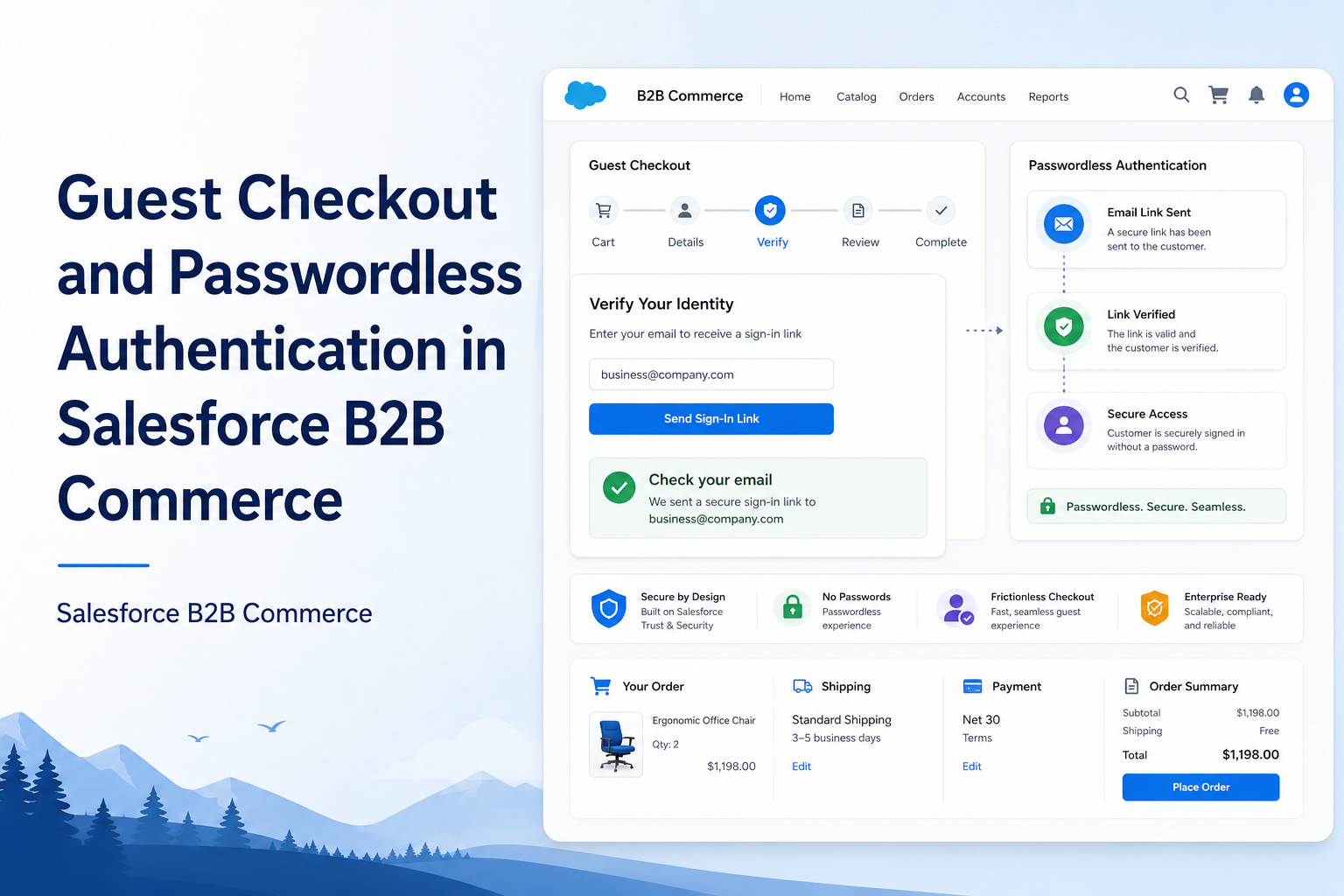
Abstract
Guest Checkout in Salesforce B2B Commerce enables customers to purchase products without creating or logging into an account before checkout. This feature improves user experience by reducing friction in the buying journey while still allowing Salesforce to capture customer information and associate orders with appropriate accounts and contacts.
This article explains the complete Guest Checkout implementation, including member validation, OTP authentication, guest account creation, cart management, and checkout processing.
Solution
Business Requirement
The business wanted to provide a seamless checkout experience where:
- Customers can purchase products without mandatory login.
- Existing members can authenticate using OTP.
- New users can create accounts during checkout.
- Individual and Corporate registrations are supported.
- Cart information is preserved throughout the process.
- Orders are linked to the correct Account and Contact records.
Solution Overview
The solution consists of the following components:
| Layer | Component / Responsibilities |
|---|---|
| Frontend Layer | Custom Lightning Web Component: customGuestCheckoutResponsibilities: Registration Type Selection, Email Validation, OTP Verification, New Account Creation, Cart Validation |
| Backend Layer | Apex Controllers manage: Member Lookup, OTP Authentication, Guest User Registration, Cart Updates, Buyer Group Assignment |
| Commerce Layer | Salesforce Commerce Objects: WebCart, CartItem, Account, Contact, User — these objects work together to complete the checkout process |
End-to-End Guest Checkout Flow
Customer Opens Store
    ↓
Adds Product To Cart
    ↓
Checkout Page Opens
    ↓
Guest Checkout Component Loads
    ↓
Select Registration Type
    ↓
Enter Email Address
    ↓
Validate Member
    ↓
┌────────────────────────────┐
│ Existing Member Found       │
└────────────────────────────┘
    ↓
Generate OTP
    ↓
Verify OTP
    ↓
Login Success
    ↓
Update Cart

OR

┌────────────────────────────┐
│ Member Not Found            │
└────────────────────────────┘
    ↓
Create Account
    ↓
Update Cart

Continue Checkout
    ↓
Shipping
    ↓
Payment
    ↓
Order Confirmation
Detailed Step-by-Step Guide
Step 1: Customer Adds Products to Cart
The customer browses the storefront and adds products to the shopping cart.
At this stage:
- WebCart record is created.
- CartItem records are created.
- Customer is still anonymous (Guest User).
The cart now contains product information but is not linked to any Account or Contact.
Step 2: Customer Navigates to Checkout
When the customer clicks Checkout:
- The custom LWC
customGuestCheckoutloads automatically. - The component retrieves: Current Cart Information, Cart Quantity, Registration Type.
- The component also validates whether checkout conditions are satisfied.
Step 3: Registration Type Selection
The customer selects one of the following:
| Registration Type | Details |
|---|---|
| Individual Registration | Used when the customer purchases for themselves and only one participant is being registered. Business Rule: Quantity must be 1. Error Message: "Please reduce the quantity to 1 or select Corporate Registration." |
| Corporate Registration | Used when a company purchases for employees. Multiple participants may be enrolled. No quantity restriction exists. |
Step 4: Customer Enters Email Address
The customer provides an email address.
Example: john.doe@gmail.com
The system determines whether the email already exists in Salesforce. The method searches:
- Contact Records
- Existing Members
- Corporate Contacts
Step 5: Member Validation
The Apex method returns one of three statuses.
| Scenario | Status | Meaning | Next Step |
|---|---|---|---|
| Member Found | Found | Contact already exists. Customer already has membership. | OTP Authentication. |
| Multiple Contacts Found | Multiple | Same email belongs to multiple corporate contacts. | Display contact selection dropdown; user selects correct contact. |
| Member Not Found | Not Found | No matching contact exists. | Create new account. |
Step 6: OTP Authentication for Existing Members
For existing members, the system invokes the OTP Generation Process:
public static String initPasswordlessLogin(Id userId, Auth.VerificationMethod method)Purpose: Generate OTP and send verification code.
Flow:
Email Entered
  ↓
Generate OTP
  ↓
Send OTP
  ↓
User Enters OTP
  ↓
Verify OTP
Customer receives: "Your verification code is 123456"
Step 7: Verify OTP
System calls the OTP Verification Process:
public static Auth.VerificationResult verifyPasswordlessLogin(Id userId, Auth.VerificationMethod method, String identifier, String code, String startUrl)Validation Performed:
- OTP correctness
- Expiry validation
- User authentication
If successful: Authentication Successful — Customer proceeds to checkout.
Step 8: Cart Merge Logic
Sometimes the user already has an existing cart. At that time, the guest cart and the existing cart are merged.
Purpose: Combine Guest Cart + Existing User Cart.
Step 9: Create Guest Account (New Customer)
If no member exists, the system displays an Account Creation Form. The customer enters:
- Salutation
- First Name
- Last Name
- Email Address
- Name as Per ID
Step 10: Account Creation Logic
| Registration Type | System Creates |
|---|---|
| Individual Registration | Person Account → Contact → Community User. This allows future login and order tracking. |
| Corporate Registration | Business Account → Contact → Buyer Group Assignment. This supports company purchases. |
Step 11: Update Commerce Cart
Once account creation succeeds, the system associates the active cart with the identified customer profile. This ensures that customer information, registration type, and order details are maintained throughout the checkout process. This establishes the relationship between the customer and the cart.
Step 12: Refresh Cart Information
The LWC periodically refreshes cart data.
Purpose:
- Detect quantity changes.
- Detect cart updates.
- Synchronize latest cart information.
This ensures users always see the latest cart state.
Step 13: Continue to Checkout
After successful validation, the customer proceeds to Shipping Information and enters:
- Address
- Country
- Postal Code
Place Order: Customer verifies Products, Quantity, Shipping Details, Total Amount and then places the order. The order is then successfully placed.
Advantages
| Advantage | Description |
|---|---|
| Improved Customer Experience | Customers can complete purchases without mandatory account creation |
| Faster Checkout Process | Reduces the number of steps required before placing an order |
| Higher Conversion Rate | Minimizes checkout abandonment by allowing guest purchases |
| Secure Customer Verification | OTP-based authentication provides secure access for existing customers |
| Flexible Registration Support | Supports both Individual and Corporate customer registration scenarios |
| Better Customer Data Management | Ensures orders are properly associated with Accounts and Contacts |
| Cart Continuity | Maintains customer cart information during authentication and registration |
| Seamless Commerce Integration | Works with Salesforce Commerce objects for complete order processing |
Limitations
| Limitation | Description |
|---|---|
| Additional Configuration Required | Requires additional customization based on business requirements |
| Complex Validation Logic | Different registration types require separate validation rules |
| OTP Dependency | Customer verification depends on successful OTP delivery |
| Data Accuracy Requirement | Incorrect customer information may create duplicate or invalid records |
| Maintenance Effort | Future business rule changes may require additional updates |
| Guest Data Handling | Guest customer information needs proper management and governance |
Conclusion
The Guest Checkout solution in Salesforce B2B Commerce provides a streamlined purchasing experience while maintaining proper customer and order management within Salesforce. By combining email validation, OTP authentication, account creation, cart synchronization, and commerce integration, organizations can significantly improve conversion rates while preserving data integrity and security.