
Dynamic SOQL Generator using Apex, Lightning Web Components, and OpenRouter API
Generate dynamic SOQL queries using Apex, Lightning Web Components, and the OpenRouter API for AI-assisted query building.
Salesforce Developer
Abstract
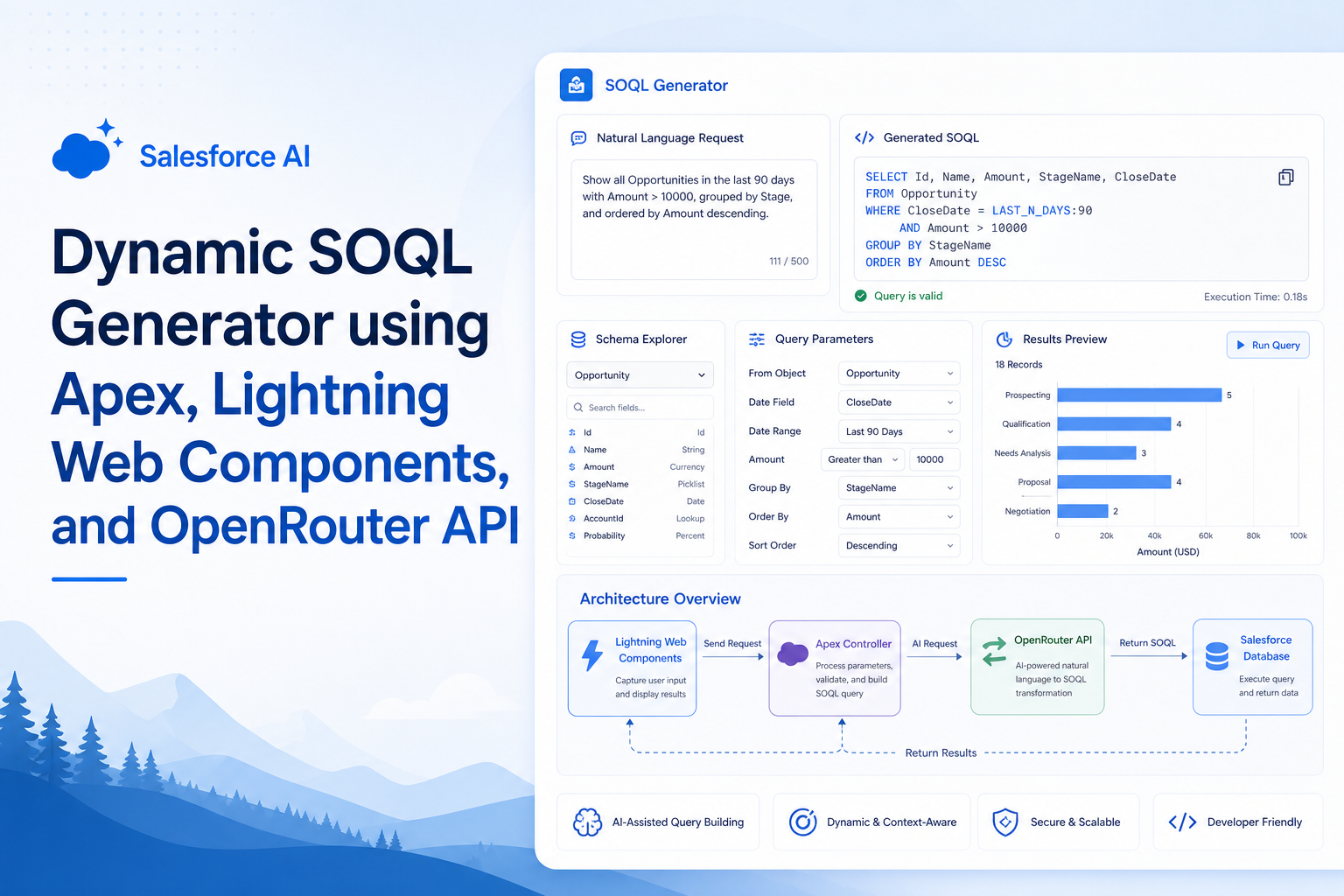
The Dynamic SOQL Generator is a Salesforce application that converts natural language input into Salesforce Object Query Language (SOQL) statements using the OpenRouter API. The objective of this project is to improve developer productivity by enabling users to enter simple requirements such as "Get all accounts" or "Get open cases created today" and automatically generate the corresponding SOQL query. The solution integrates Lightning Web Components (LWC), Apex, and REST API callouts to provide real-time query generation.
Solution
The application is developed using Salesforce Apex and Lightning Web Components. Users enter requirements through a Lightning Web Component interface. The request is sent to an Apex controller, which performs an HTTP callout to the OpenRouter API.
The OpenRouter API processes the prompt and returns a SOQL query. The Apex controller parses the JSON response and sends the generated query back to the Lightning Web Component for display.
Key Features
- Natural Language to SOQL conversion.
- REST API integration using OpenRouter.
- User-friendly Lightning Web Component interface.
- Dynamic query generation without hardcoded conditions.
- Real-time API response handling.
- JSON response parsing using Apex.
Step-by-Step Guide
Step 1: Create an OpenRouter Account
- Sign up for an OpenRouter account.
- Generate an API key.
- Store the API key securely for Salesforce integration.
Step 2: Configure Salesforce
- Navigate to Setup.
- Open Remote Site Settings.
- Create a new Remote Site with the URL:
https://openrouter.ai - Save the configuration.
Step 3: Create Apex Controller
- Create an Apex class.
- Configure an HTTP POST callout.
- Set the Authorization header using the API key.
- Pass the user requirement as input.
- Receive the response from OpenRouter.
- Parse the JSON response.
- Return the generated SOQL query.
Step 4: Create Lightning Web Component
- Create a text area for entering requirements.
- Add a "Generate Query" button.
- Call the Apex method from JavaScript.
- Display the generated SOQL query on the screen.
Step 5: Deploy and Test
| Example 1 | Example 2 | |
|---|---|---|
| Input | Get all accounts | Get all open cases created today |
| Generated Query | SELECT Id, Name FROM Account | SELECT Id, Subject FROM Case WHERE Status != 'Closed' AND CreatedDate = TODAY |
Architecture Flow
User Input (LWC)
        ↓
  Apex Controller
        ↓
 HTTP REST Callout
        ↓
   OpenRouter API
        ↓
   JSON Response
        ↓
SOQL Query Extraction
        ↓
 Display Query in LWC
Conclusion
The Dynamic SOQL Generator provides a simple and efficient approach for generating Salesforce queries using natural language. By integrating Apex, Lightning Web Components, and the OpenRouter API, developers can reduce manual effort and improve productivity.
Advantages
- Reduces the time required to write SOQL queries.
- Improves developer productivity.
- Supports dynamic query generation.
- Easy to integrate with Salesforce.
- Provides a user-friendly interface.
- Demonstrates practical REST API integration.
Disadvantages
- Requires internet connectivity.
- Depends on external API availability.
- API usage limits may apply.
- Generated queries should be reviewed before execution.
- Additional validation may be required for complex requirements.
Technologies Used
- Salesforce Apex
- Lightning Web Components (LWC)
- OpenRouter API
- REST API Callouts
- JSON Parsing
- JavaScript
- SOQL
Summary
This Proof of Concept demonstrates REST API integration, Apex development, JSON parsing, Lightning Web Components, and AI-assisted Salesforce application development. It highlights how modern AI services can be leveraged to simplify query generation and enhance developer productivity.