
Bulk Data Validation
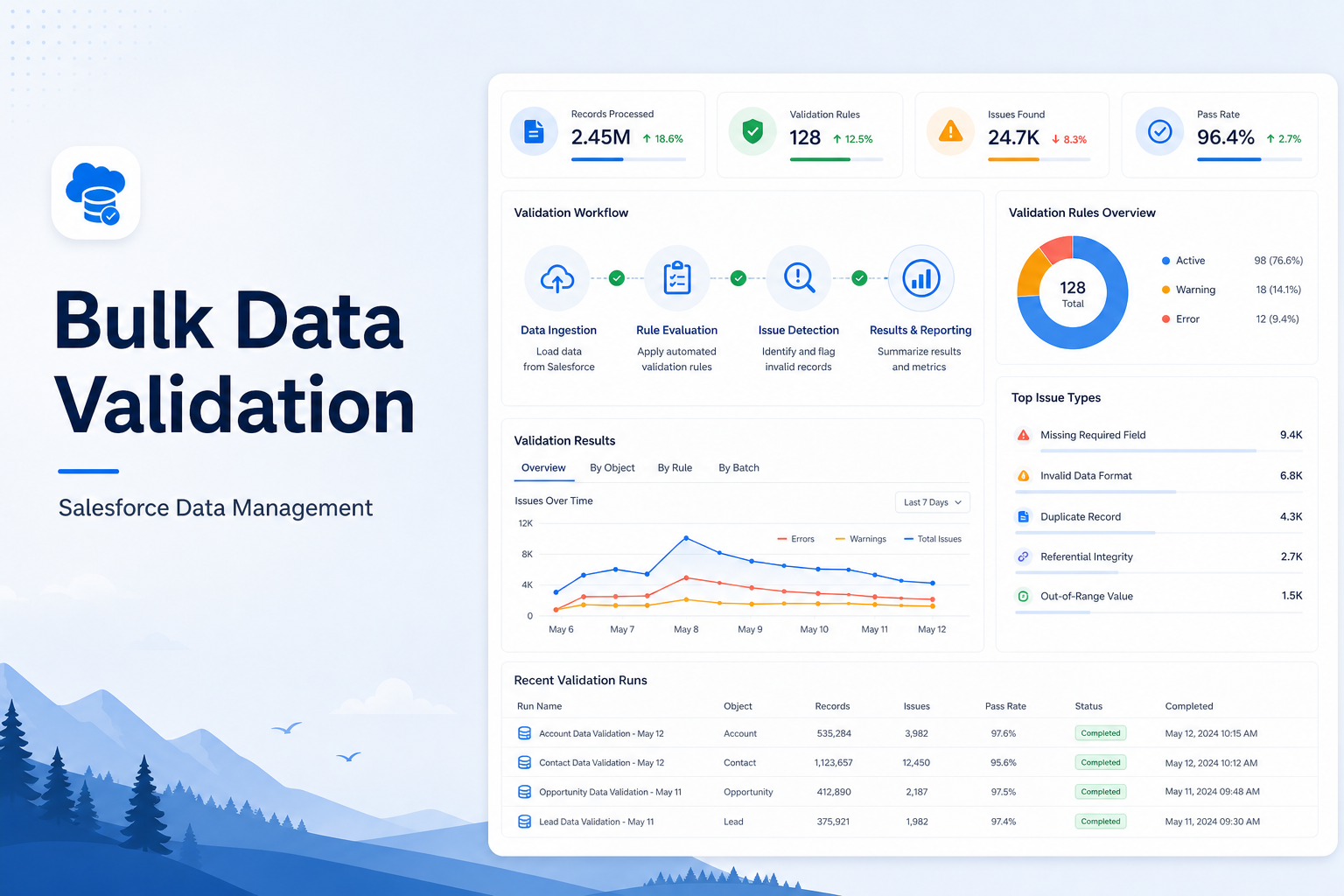
Validate large volumes of Salesforce data efficiently using automated rules and scalable validation techniques.
Salesforce Developer
Abstract
Maintaining high-quality data is essential for any Salesforce implementation. Invalid, duplicate, or incomplete records can lead to inaccurate reporting and business process failures. This Proof of Concept (POC) demonstrates a Bulk Data Validation solution using Apex and Lightning Web Components (LWC). The application retrieves multiple Account records, validates them against predefined business rules, and displays the validation results in a Lightning Datatable. The objective of this POC is to improve data quality by identifying errors before records are processed or migrated.
Solution
The solution consists of an LWC frontend and an Apex backend. The Lightning Web Component provides a user-friendly interface with a Validate Records button. When the button is clicked, an Apex controller retrieves Account records and performs multiple validation checks.
The validation results are returned to the LWC and displayed in a Lightning Datatable, allowing users to easily identify valid and invalid records.
Validation Rules
- Check Duplicate Account Name
- Validate Phone Number Length
- Validate Website Format
- Check Mandatory Account Name
- Display Validation Status
- Display Validation Message
Technologies Used
- Salesforce Apex
- Lightning Web Components (LWC)
- SOQL
- Lightning Datatable
- Salesforce Validation Logic
System Architecture
User --> LWC --> Apex Controller --> Validation Logic --> Validation UIImplementation
Apex Controller
The Apex controller performs the following operations:
- Retrieves Account records.
- Validates Account Name.
- Checks duplicate records.
- Validates Phone Number.
- Validates Website.
- Returns validation results.
Account Records
       |
       V
Validation Rules
       |
       V
Generate Validation Result
       |
       V
   Return to LWC
Lightning Web Component
The LWC provides:
- Validate Records Button
- Lightning Datatable
- Validation Status
- Error Messages
When the user clicks Validate Records, the Apex method is invoked, and the results are displayed dynamically.
Sample Data
| Account | Phone | Website |
|---|---|---|
| ABC Pvt Ltd | 9876543210 | abc.com |
| XYZ Corp | 98765 | xyz |
| ABC Pvt Ltd | 9123456789 | admin.com |
| 9988776655 | user.com | |
| ABC Technologies | 9998887776 | global.com |
Expected Output
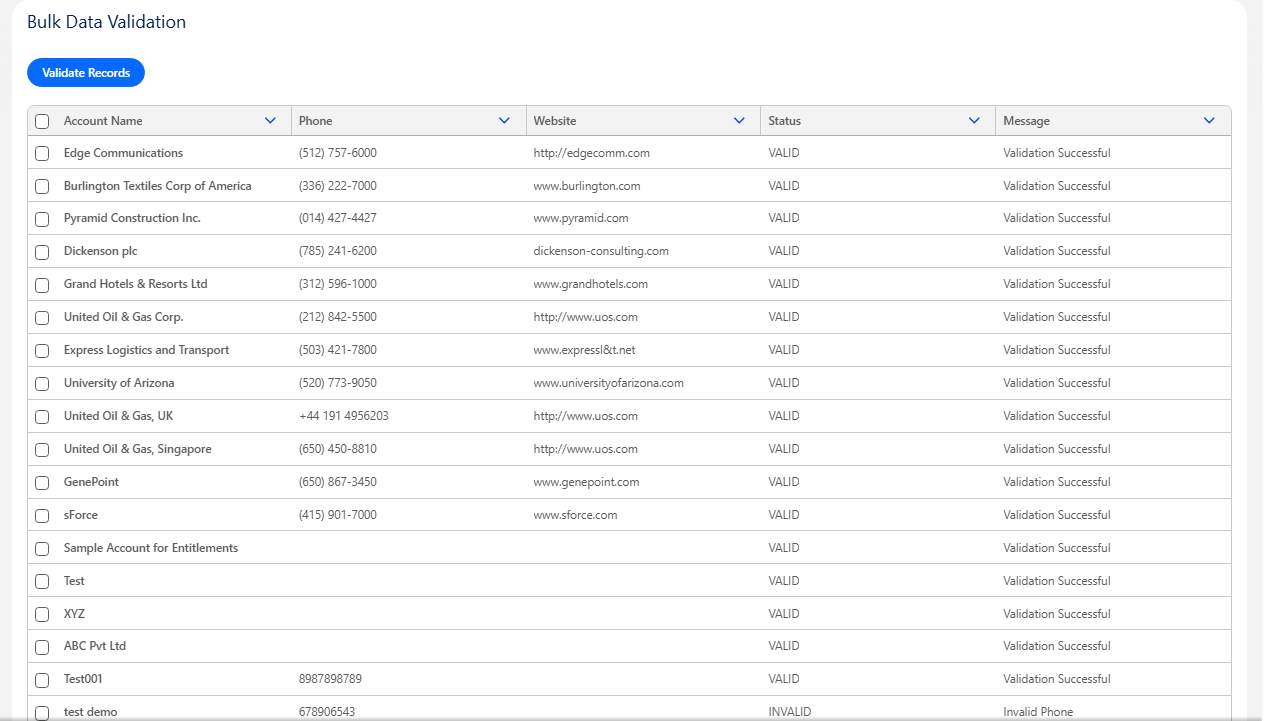
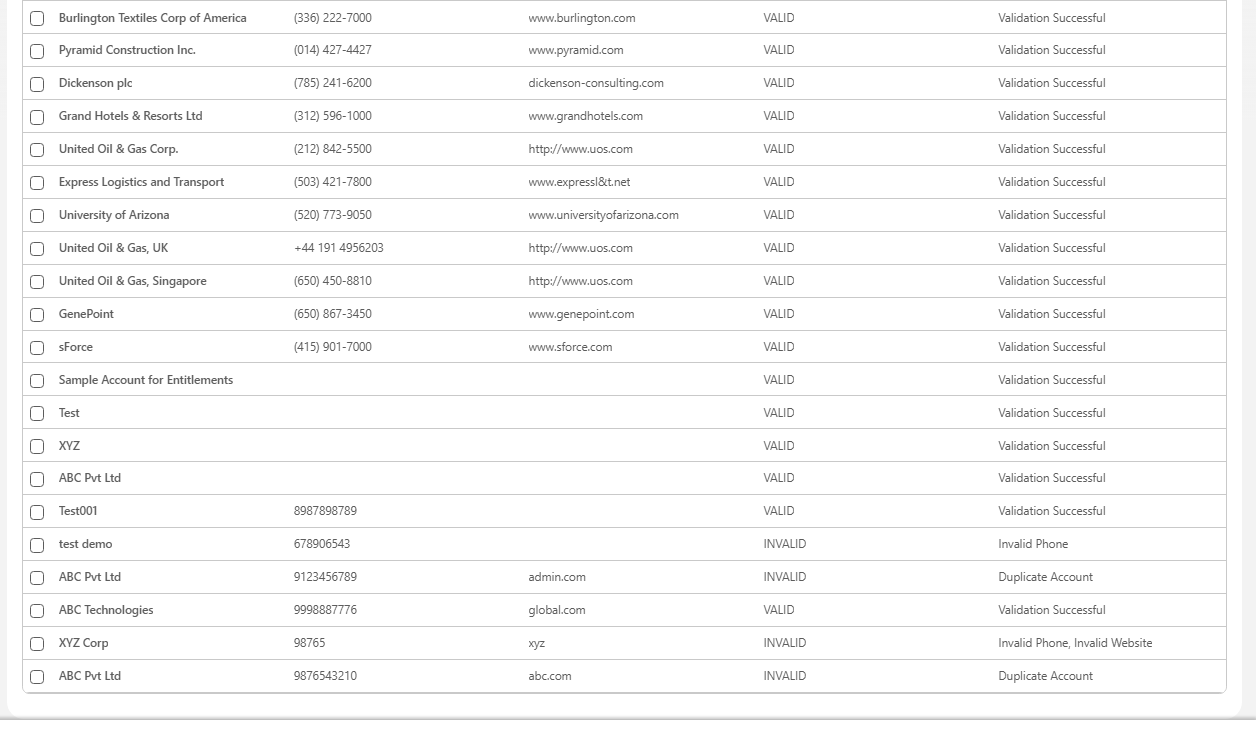
Step-by-Step Process
Step 1
Create the Apex Controller to retrieve and validate Account records.
Step 2
Create the Lightning Web Component.
Step 3
Add a Lightning Button to trigger validation.
Step 4
Display the validation results in a Lightning Datatable.
Step 5
Review invalid records and correct the data.
Business Value
- Improves Salesforce data quality.
- Prevents invalid record insertion.
- Reduces duplicate data.
- Supports bulk record validation.
- Useful for data migration projects.
- Reduces manual verification effort.
Advantages
- Simple implementation.
- No external API dependency.
- Reusable validation framework.
- Easy to extend.
- Improves user productivity.
- Displays validation results in real time.
Limitations
- Currently supports only the Account object.
- Validation rules are predefined.
- Does not automatically correct invalid data.
- Large datasets may require pagination or Batch Apex.
Future Enhancements
The current implementation validates only Account records. Future versions can make the solution completely dynamic.
Dynamic Object Selection
Allow users to select any Salesforce object from a dropdown.
Example: Select Object — [ Account (Get all objects dynamically) ]
Available Objects (Example):
- Account
- Contact
- Lead
- Opportunity
- Case
Dynamic Record Loading
After selecting an object, automatically retrieve all records for that object.
User Selects Object
         |
         V
   Load All Records
         |
         V
Display in Lightning Datatable
Dynamic Validation
Apply validation rules based on the selected object.
| Object | Validation Rules |
|---|---|
| Account | Account Name Required, Duplicate Account, Invalid Website, Invalid Phone |
| Contact | First Name Required, Last Name Required, Invalid Email |
| Lead | Company Required, Invalid Email, Duplicate Lead |
| Opportunity | Amount Required, Close Date Required |
Export Validation Report
Allow users to download validation results as a CSV file.
Dashboard Summary
Display validation statistics.
| Metric | Count |
|---|---|
| Total Records | 100 |
| Valid Records | 82 |
| Invalid Records | 18 |
| Duplicate Records | 5 |
| Missing Fields | 7 |
| Invalid Phone | 3 |
| Invalid Website | 3 |
Scheduled Validation
Automatically validate records using Scheduled Apex and send email reports.
Conclusion
The Bulk Data Validation POC demonstrates how Apex and Lightning Web Components can be used to improve Salesforce data quality. The solution validates multiple Account records and displays meaningful error messages to users.
By extending the solution with dynamic object selection and configurable validation rules, the framework can evolve into a generic Salesforce data quality solution that supports multiple standard and custom objects.