
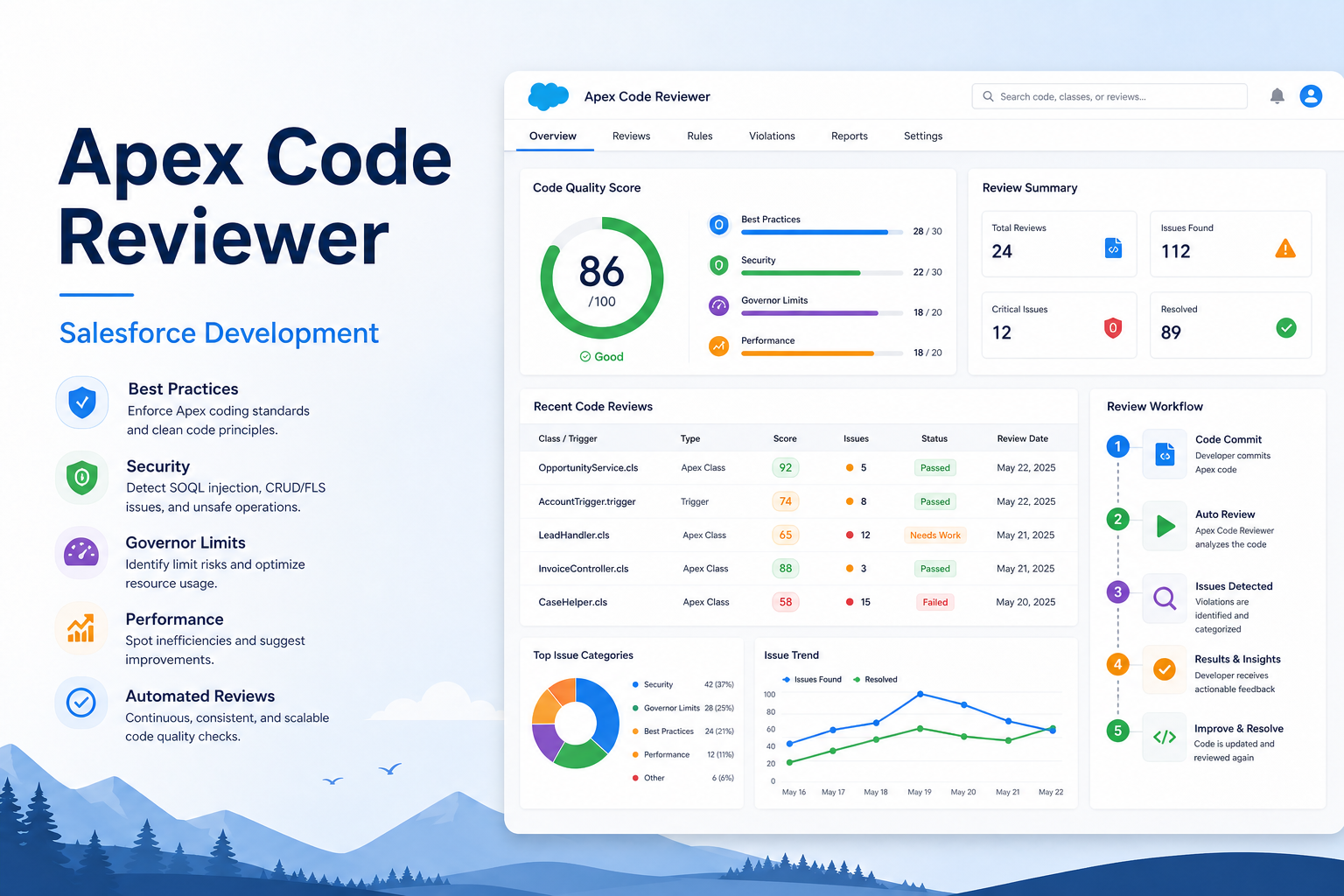
Apex Code Reviewer
Review Apex code for best practices, security, governor limits, and performance improvements using automation.
Salesforce Developer
Abstract
Code quality plays an important role in Salesforce application development. Poor coding practices can lead to governor limit exceptions, performance issues, and maintenance challenges. Manual code reviews are effective but often require significant developer time and effort. The Apex Code Reviewer POC was developed to simplify the code review process by integrating Salesforce with an external REST service. The solution enables developers to submit Apex code through a Lightning Web Component and receive automated suggestions for improving code quality and following Salesforce best practices.
The project demonstrates how Apex, Lightning Web Components, HTTP Callouts, and REST APIs can work together to create a simple and efficient code analysis tool. The primary objective is to help developers identify common coding issues during development and encourage better coding standards.
Introduction
Salesforce Apex is a powerful programming language used to build custom business logic on the Salesforce platform. Since Salesforce operates within governor limits, developers must follow best practices to ensure applications are scalable and efficient.
Some common coding mistakes include:
- DML statements inside loops.
- SOQL queries inside loops.
- Unnecessary nested loops.
- Missing exception handling.
- Hardcoded values.
- Poor bulk processing.
- Inefficient collection handling.
Traditional code reviews require experienced developers to manually inspect code, which can be time-consuming. This Proof of Concept (POC) provides an automated approach that gives developers quick feedback and helps improve code quality.
Objective
The main objectives of this project are:
- Automate the Apex code review process.
- Identify common coding issues.
- Encourage Salesforce development best practices.
- Demonstrate REST API integration using Apex.
- Show communication between LWC and Apex.
- Reduce manual code review effort.
- Improve developer productivity.
- Provide immediate feedback during development.
- Build a reusable framework for future enhancements.
Problem Statement
Many Salesforce projects involve multiple developers working on different modules. Maintaining coding standards across teams can become challenging.
Some of the most common issues found during code reviews are:
DML Inside Loops
for(Account acc : accountList){
    update acc;
}
This approach consumes DML limits quickly.
SOQL Inside Loops
for(Account acc : accountList){
    Contact con = [SELECT Id FROM Contact WHERE AccountId=:acc.Id LIMIT 1];
}
This can exceed SOQL governor limits.
Missing Exception Handling
insert accountList;Without proper exception handling, runtime errors may not be managed correctly.
Inefficient Bulk Handling
Code written for a single record may fail when processing hundreds of records.
Governor Limit Violations
Salesforce enforces limits on:
- Number of SOQL queries.
- Number of DML statements.
- CPU execution time.
- Heap size.
- Callout limits.
Developers should design applications that work efficiently within these limits.
Solution Overview
The Apex Code Reviewer POC provides a simple mechanism to analyze Apex code and generate recommendations.
The solution architecture is:
Developer
   ↓
Lightning Web Component
   ↓
Apex Controller
   ↓
REST API Callout
   ↓
Review Result
   ↓
Display in LWC
The user enters Apex code into the Lightning Web Component. The component sends the code to an Apex controller. The controller performs an HTTP callout to an external REST service and receives a response containing code review suggestions. The results are then displayed back to the user.
System Architecture
Front End (Lightning Web Component)
The LWC provides:
- Text area for Apex code input.
- Submit button.
- Result display section.
- User-friendly interface.
Responsibilities:
- Accept user input.
- Call Apex methods.
- Display returned suggestions.
Backend (Apex Controller)
The Apex controller:
- Receives Apex code.
- Creates HTTP request.
- Performs REST callout.
- Processes JSON response.
- Returns review comments.
External REST Service
The external service:
- Accepts Apex code.
- Analyzes coding patterns.
- Generates recommendations.
- Sends response in JSON format.
Technologies Used
Lightning Web Component (LWC)
Used for creating the user interface.
Features:
- Fast rendering.
- Reusable components.
- Easy Apex integration.
Apex
Used for backend processing.
Responsibilities:
- Business logic.
- HTTP callouts.
- JSON serialization.
- Response handling.
REST API
Provides communication between Salesforce and external services.
Methods used:
- POST
- HTTP Headers
- Request Body
- Response Parsing
HTTP Callout
Allows Apex to connect with external systems securely.
JSON
Used for:
- Request payload.
- Response data.
- Data serialization.
Salesforce Developer Edition
Used for development and testing.
Step-by-Step Implementation
Step 1
- Generate an API Key.
- Store the key securely for authentication.
Step 2
- Create a Remote Site Setting.
- Add the endpoint URL.
- Save the configuration.
Step 3
Create the Apex Controller.
Responsibilities:
- Accept input.
- Create request.
- Send callout.
- Return response.
Step 4
Create the Lightning Web Component. Add:
- Text area.
- Button.
- Result section.
Step 5
Connect LWC with Apex Controller. Use Apex methods to send and receive data.
Step 6
- Deploy the component.
- Verify deployment.
Step 7
Add the component to the Home Page.
- Open Lightning App Builder.
- Drag and drop the component.
- Save and Activate.
Working Process
User Input
for(Account a : accList){
    a.Name='Test';
    update a;
}
Processing Steps
- User enters Apex code.
- LWC sends code to Apex.
- Apex performs REST callout.
- External service analyzes the code.
- Response is generated.
- LWC displays suggestions.
Advantages
- Reduces manual code review effort.
- Provides quick feedback.
- Improves developer productivity.
- Encourages coding standards.
- Easy Salesforce integration.
- Simple user interface.
- Reusable architecture.
- Supports learning for new developers.
- Helps avoid governor limit issues.
- Improves maintainability.
Limitations
- Requires internet connectivity.
- Depends on external API availability.
- API key management is necessary.
- Suggestions require developer validation.
- Large code blocks may take longer to process.
- Response quality depends on input.
- External service interruptions may affect functionality.
Business Benefits
Organizations can benefit from this solution by:
- Reducing development effort.
- Improving application quality.
- Maintaining coding standards.
- Supporting junior developers.
- Increasing productivity.
- Reducing maintenance costs.
- Encouraging best practices.
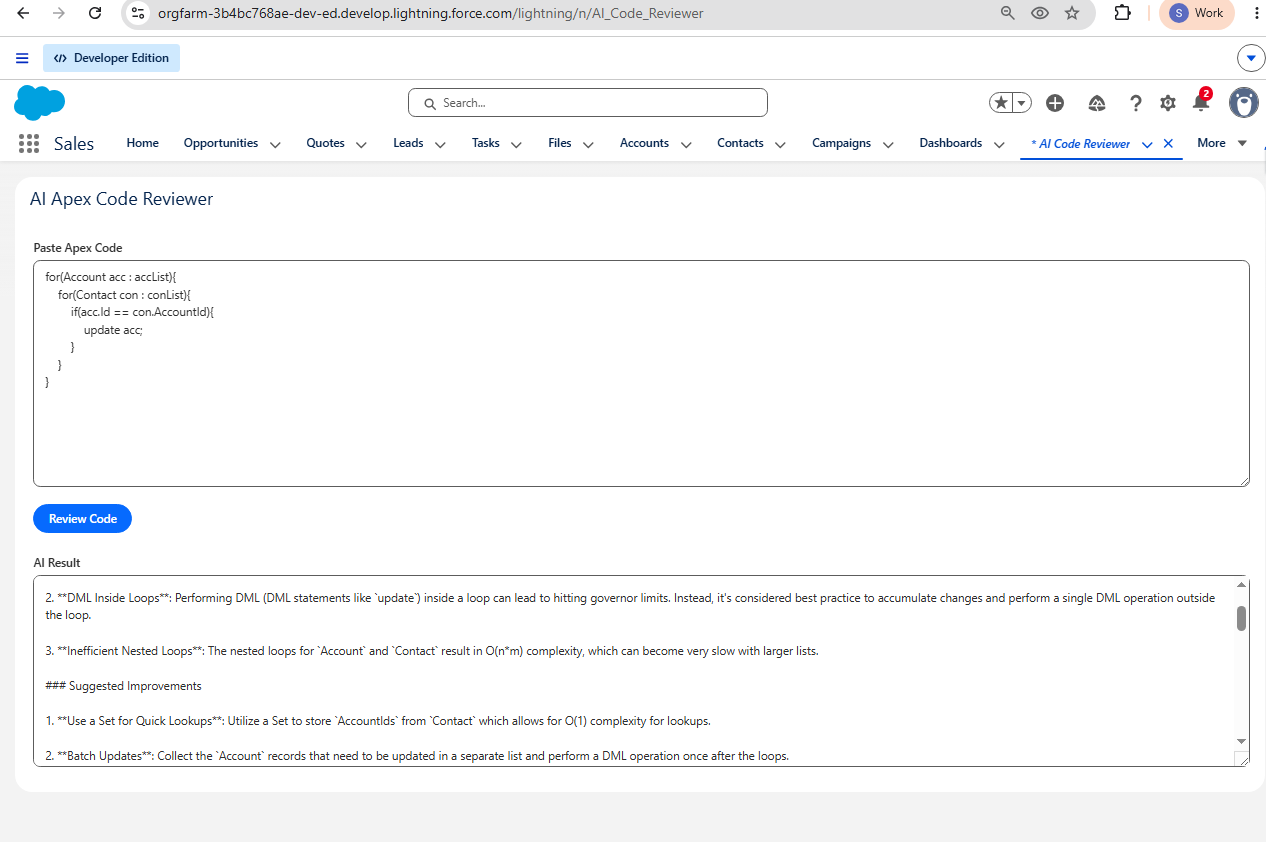
Sample Output
Code Review Result
- Avoid DML inside loops.
- Bulkify the code.
- Use a single update statement.
- Add exception handling.
- Follow governor limits.
- Use collections effectively.
- Improve code readability.
Images / Screenshots
Conclusion
The Apex Code Reviewer POC successfully demonstrates the integration of Salesforce with an external REST service for automated code analysis. The solution provides developers with immediate feedback on common coding issues and encourages the adoption of Salesforce best practices. By combining Lightning Web Components, Apex, HTTP Callouts, and REST APIs, this project creates a simple, practical, and reusable framework for improving code quality. The POC can serve as a foundation for future enhancements and more advanced code analysis capabilities.
Final Summary
This project demonstrates a practical approach to automating Apex code reviews within Salesforce. It simplifies the review process, reduces manual effort, promotes coding standards, and provides a foundation for future development enhancements.