
Salesforce User Acceptance Testing (UAT) Guide
A practical guide to planning, executing, and documenting User Acceptance Testing (UAT) for Salesforce implementations.
QA Engineer
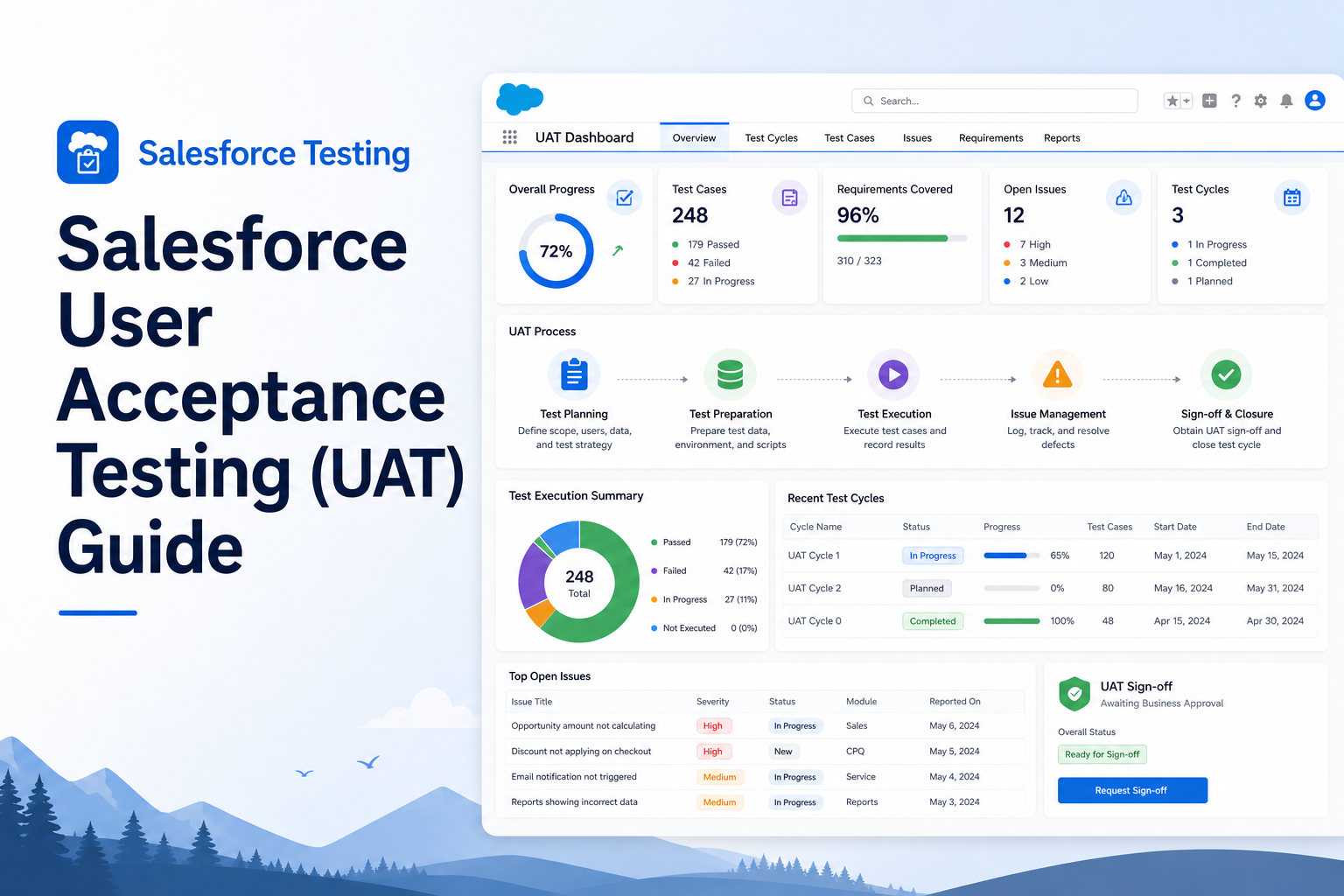
Abstract
User Acceptance Testing (UAT) is the final phase of the testing process in Salesforce projects, where business users validate that the implemented solution meets their requirements and expectations. The primary objective of UAT is to ensure that the system functions correctly in real-world scenarios before deployment to production. This article provides an overview of Salesforce UAT, its importance, and the steps involved in executing successful acceptance testing.
Solution
Salesforce User Acceptance Testing involves validating business processes, workflows, reports, dashboards, Lightning components, and integrations from an end-user perspective. Unlike functional or system testing, UAT focuses on confirming that the solution satisfies business requirements and is ready for production use.
QA engineers and business users collaborate during UAT to execute predefined scenarios, identify defects, and ensure that all requirements are fulfilled.
Key Features
- Validation of business requirements.
- End-to-end business process testing.
- Verification of user experience.
- Defect identification before production deployment.
- Collaboration between QA teams and business users.
- Increased confidence in the final solution.
Step-by-Step Guide
Step 1: Understand Business Requirements
- Review user stories and requirement documents.
- Understand acceptance criteria.
- Identify critical business processes.
- Prepare UAT scenarios and test cases.
Step 2: Prepare the UAT Environment
- Set up a dedicated UAT sandbox.
- Load representative test data.
- Verify user profiles and permissions.
- Ensure integrations are available for testing.
Step 3: Create UAT Test Scenarios
Examples of UAT scenarios include:
- Create and update Accounts and Contacts.
- Convert Leads into Opportunities.
- Validate Approval Processes.
- Verify Flow automation.
- Test report and dashboard generation.
- Validate email notifications.
- Confirm Lightning Web Component functionality.
Step 4: Execute Test Cases
- Perform business transactions.
- Compare actual results with expected results.
- Record observations and outcomes.
- Mark test cases as Pass or Fail.
Step 5: Log Defects
If issues are identified:
- Create defects in JIRA or another tracking tool.
- Include: Summary, Steps to reproduce, Expected result, Actual result, Priority and severity.
- Assign defects to the development team.
Step 6: Retest Defects
- Verify bug fixes provided by developers.
- Re-execute failed test cases.
- Perform regression testing to ensure existing functionality remains unaffected.
Step 7: Obtain Business Sign-Off
- Confirm that all critical scenarios are successfully tested.
- Ensure defects are resolved.
- Obtain approval from stakeholders and business users.
- Proceed with production deployment.
Typical UAT Workflow
Requirement Gathering
        ↓
Test Scenario Preparation
        ↓
UAT Environment Setup
        ↓
   Test Execution
        ↓
   Defect Logging
        ↓
     Bug Fixes
        ↓
     Retesting
        ↓
  Business Sign-Off
        ↓
Production Deployment
Roles and Responsibilities
| Role | Responsibilities |
|---|---|
| QA Engineer | Prepare test scenarios and test cases; support business users during UAT; log and track defects; coordinate retesting activities. |
| Business User | Execute business scenarios; validate system behavior; confirm requirements are met; provide final approval. |
| Developer | Analyze defects; implement fixes; support retesting activities. |
Conclusion
User Acceptance Testing is a critical phase in Salesforce implementations that ensures the delivered solution aligns with business expectations. Effective UAT helps reduce production defects, improves user satisfaction, and increases confidence in the application before go-live.
Advantages
- Ensures business requirements are satisfied.
- Reduces production issues.
- Improves user confidence.
- Provides stakeholder validation.
- Enhances overall application quality.
- Supports successful production deployment.
Disadvantages
- Requires active participation from business users.
- Can extend project timelines.
- Dependent on the quality of test scenarios and data.
- Defect resolution may delay deployment.
Technologies and Tools Used
- Salesforce Sandbox Environment
- Lightning Experience
- Apex
- Lightning Web Components (LWC)
- Flow Builder
- JIRA, Azure
- Test Case Documents
- Regression Testing Techniques
Summary
Salesforce User Acceptance Testing (UAT) is an essential activity that validates whether a solution meets business requirements and is ready for production deployment. Through structured test execution, defect management, and stakeholder involvement, UAT contributes significantly to the success and reliability of Salesforce applications.